Different Order Types On ZMO
Description goes here
LL
Lulu Liu
8 min

Navigating the world of cryptocurrency trading requires an understanding of various order types. ZMO offers a diverse range of order types to cater to different trading needs and risk management preferences.
Whether you seek immediate execution with Market Orders, precise control with Limit Orders, or conditional trades with Stop and Take Profit Orders, our platform empowers you to trade confidently and efficiently.
Try out the following order types to elevate your trading experience on ZMO.
Limit Orders
Market Orders
Advanced Orders
Stop Order
Take Profit Orders
Trailing Stop Orders
TWAP Orders
OCO Orders
Index Orders
Stealth Mode
Limit Orders
What are Limit Orders?
Limit Orders enable traders to specify a precise price at which they want to buy or sell an asset. These orders are placed in the order book and executed when a matching bid or ask price is found.
Market Orders
What are Market Orders?
Market Orders execute instantly at the current market price. They are ideal for traders who require immediate execution.
* Market Price orders will execute the best bid or ask price in the order book. If the cryptocurrency you select is illiquid, you may lose some money to slippage on the initial trade.
Stop Orders
What are Stop Orders?
Stop Orders are placed at a user-specified trigger price and become activated when the market reaches that trigger. They can serve as risk management tools or automate entries or exits with a particular market.
Stop Orders can be placed under the Advanced tab.
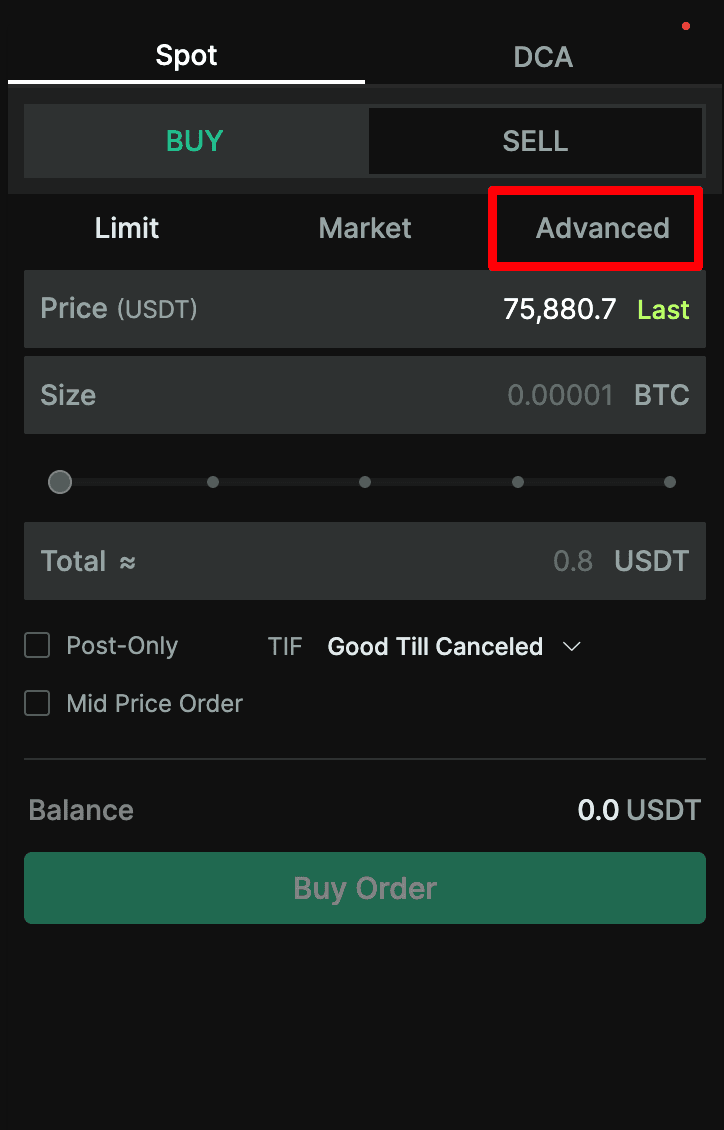
What are the two types of Stop Orders?
Stop Limit Orders: These allow users to set both a trigger price and an order price. When the trigger price is reached, the order is placed.
Stop Market Orders: Users set a trigger price, and when the market price meets the trigger, a Market Order is placed.
Stop Limit Order | Stop Market Order |
 | 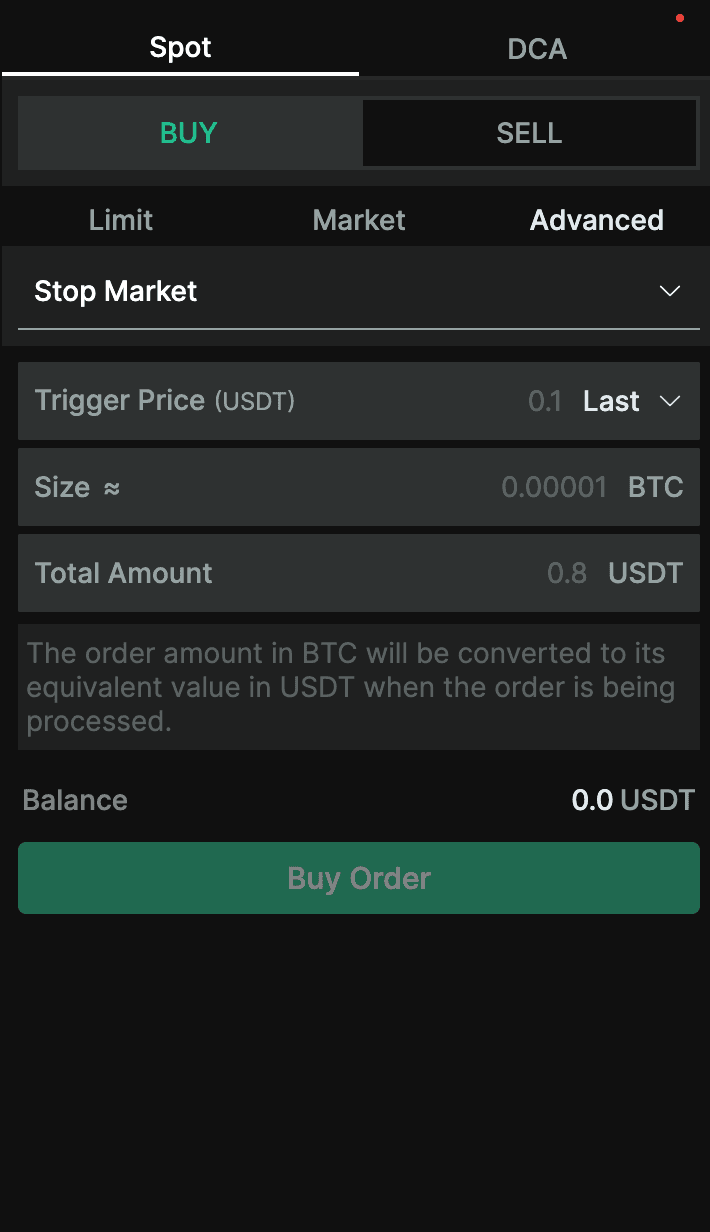 |
In the case of all stop orders, the order is activated when the market price either matches or surpasses the trigger price.
During the execution of a stop order, you may encounter three possible statuses:
OPEN: Your order is awaiting the fulfillment of its conditions.
TRIGGERED: Your order has been successfully placed.
FILLED: Your order has been entirely executed.
You can locate the status field within the Order panel in the trading window at the bottom of your interface.

Take Profit Orders
What are Take Profit Orders?
Take Profit Orders allow users to specify a trigger price at which Market or Limit Order instructions are executed. They are used to secure profits when a certain price level is expected to be reached.
Take Profit Orders can be placed under the Advanced Tab.
What are the two types of Take Profit Orders?
Take Profit Limit Orders: Users set a trigger price and an order Price. When the market price hits the trigger, the order is placed.
Take Profit Market Orders: Users set a trigger price, and when the market price hits this trigger price, a market order is executed.
Take Profit Limit Order | Take Profit Market Order |
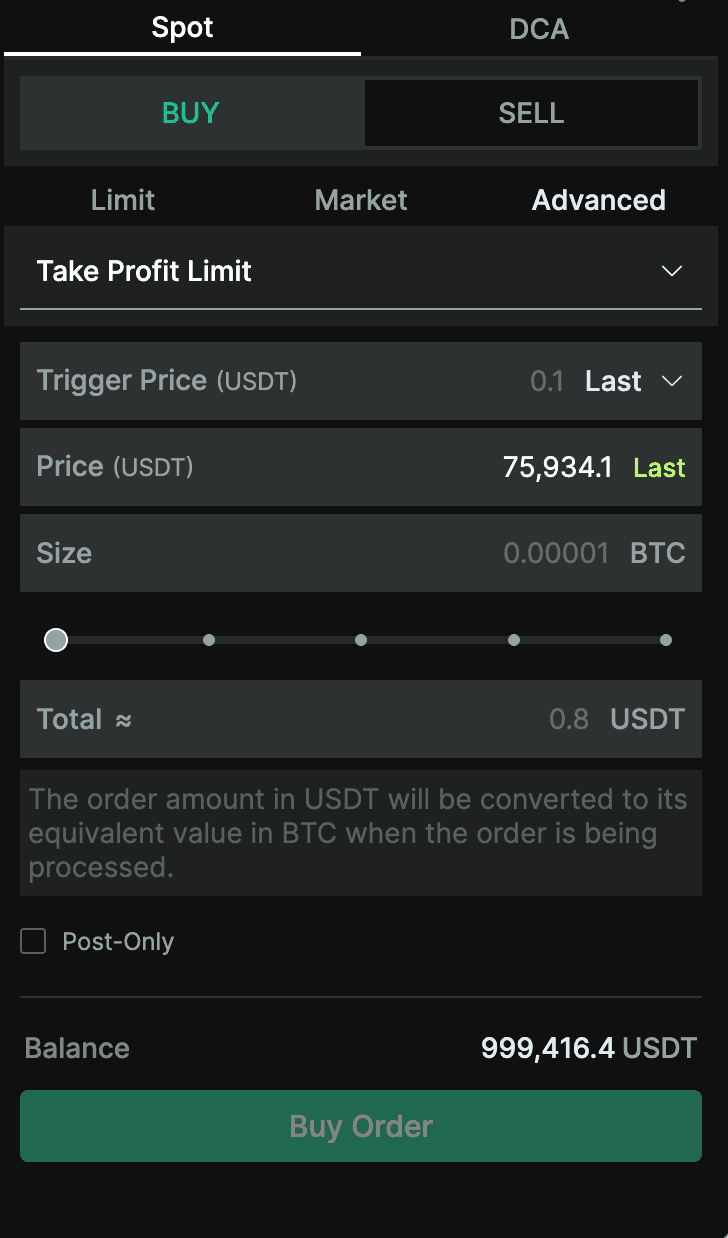 | 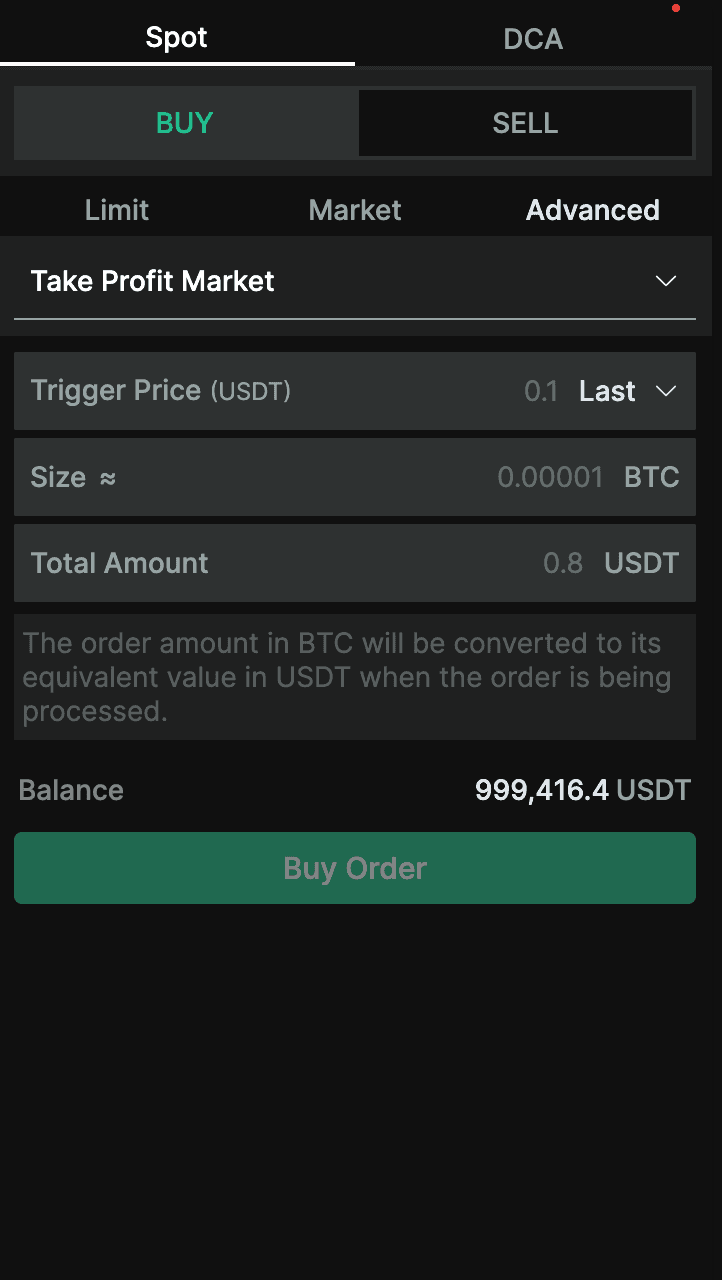 |
* In the case of take profit orders, the order is activated when the market price either matches or surpasses the trigger price.
The status of Take Profit orders can be found under the Active Orders tab.
During the execution of a Take Profit order, you may encounter three possible statuses:
OPEN: Your order is awaiting the fulfillment of its conditions.
TRIGGERED: Your order has been successfully placed.
FILLED: Your order has been entirely executed.
Trailing Stop Orders
What are Trailing Stop Orders?
Trailing Stop Orders help traders secure profits and limit losses as market prices fluctuate. Unlike regular Stop Orders, their trigger price is based on recent market price changes.
This implies that the trigger price will consistently adjust based on the variation between the maximum value observed since the stop order was initiated and a user-defined trail value.
Trailing Stop Orders can be selected under the Advanced tab.
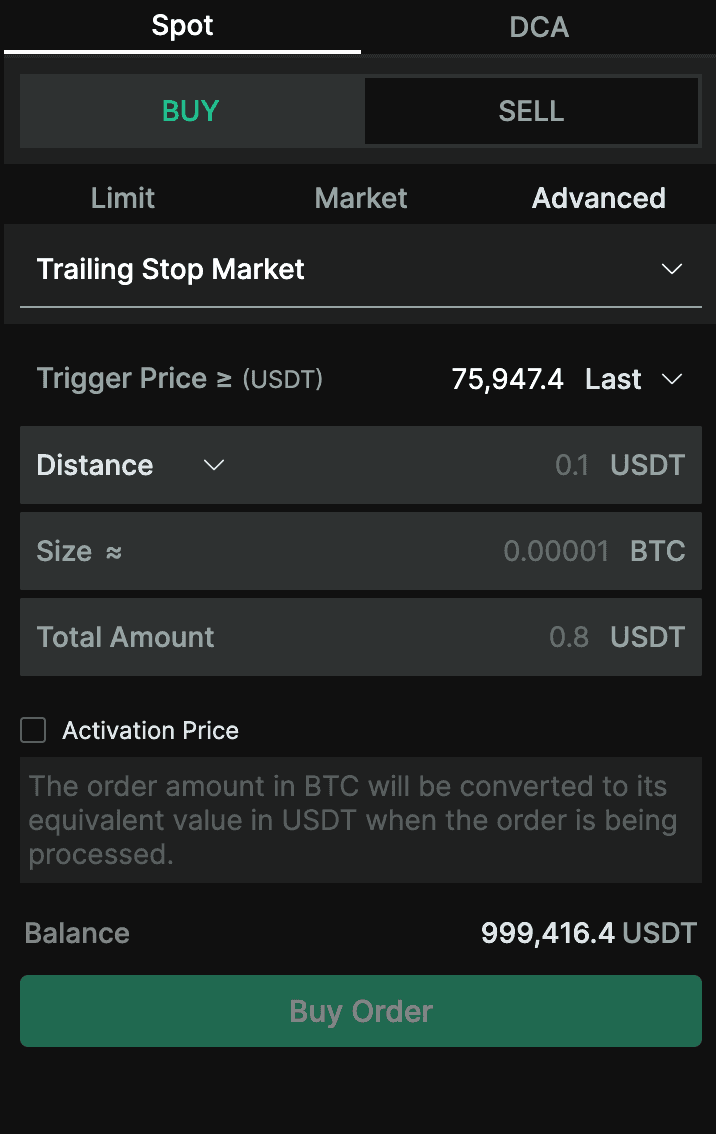
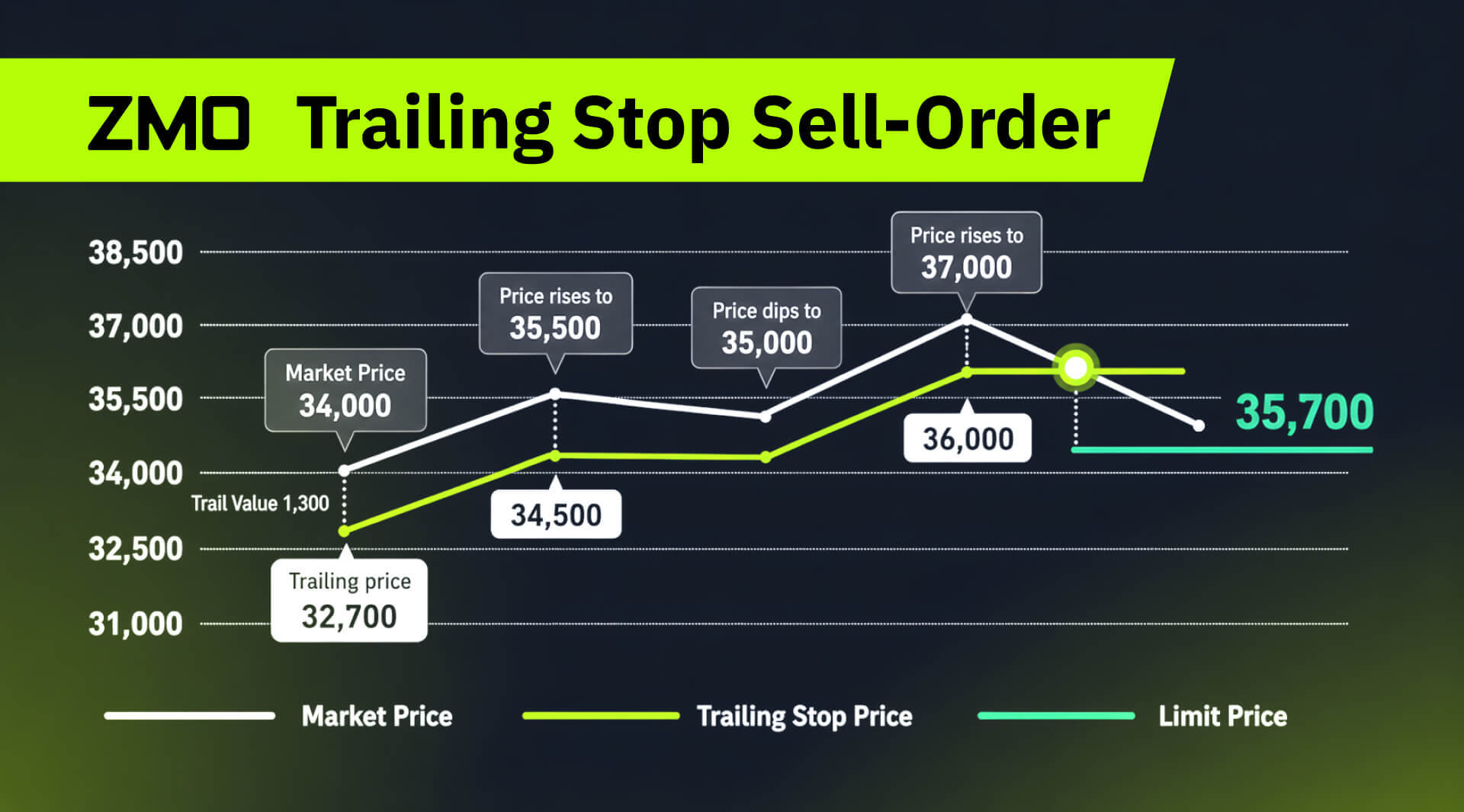
Trigger Price: As per the image, when the market price rises and reaches the Trigger Price (32,700 in the example), the trailing stop becomes active.
Trail Value: The image shows a Trail Value of 1,300. This means if the market price were to drop by this amount from its highest point after activation, the sell order gets triggered. For example, the market price in this figure rose to 37,000. However, when it dips by 1,300 to 35,700, the order will be executed.
Size: This represents the size of the trigger order.
TWAP Orders
What are TWAP Orders?
TWAP (Time-Weighted Average Price) Orders allow users to split a single order into smaller ones over a specified time period, reducing slippage and enabling execution at an average price over that time period.
Trailing stop orders can be selected under the Advanced Tab.
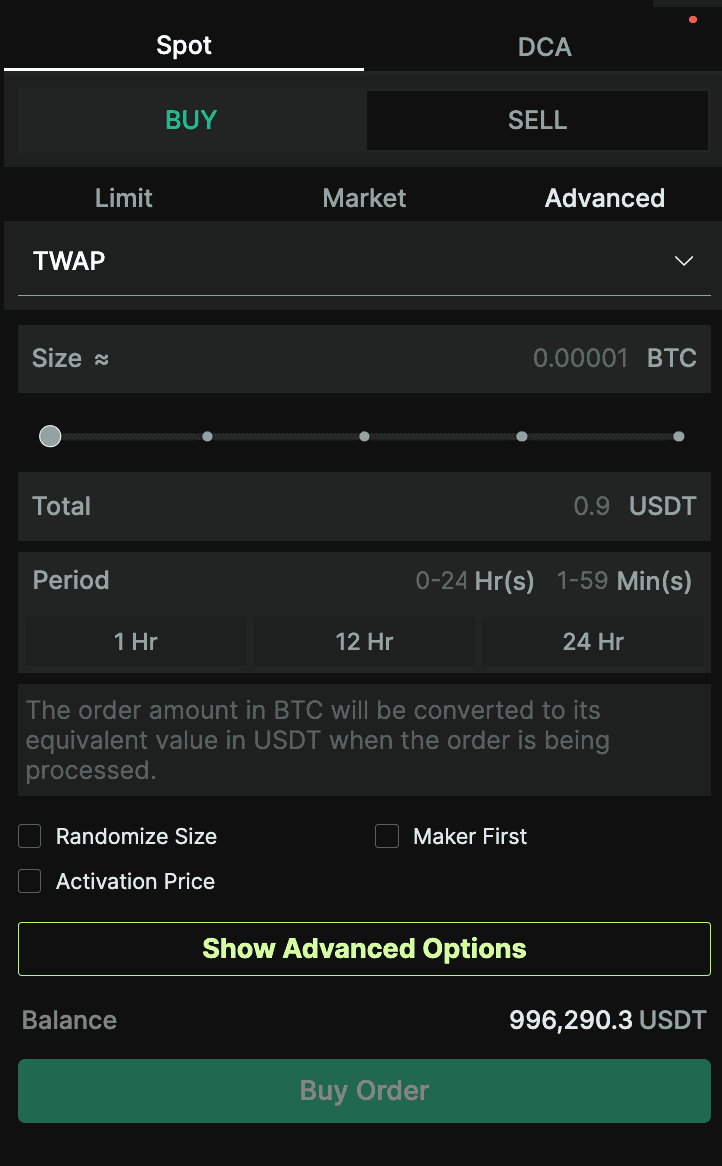
TWAP Fields Explained:
Size, total: Set your desired order size and its corresponding order value in USDT
Period: Choose the duration for TWAP order execution — from 1 hour to 24 hours.
Randomize Size: Opt for varying individual order sizes, adjusting by up to ±50%.
Maker First: Begin with limit orders, auto-switching to market orders if not filled within the defined period.
Show Advanced Options: Unveil more detailed settings for precise order customization.
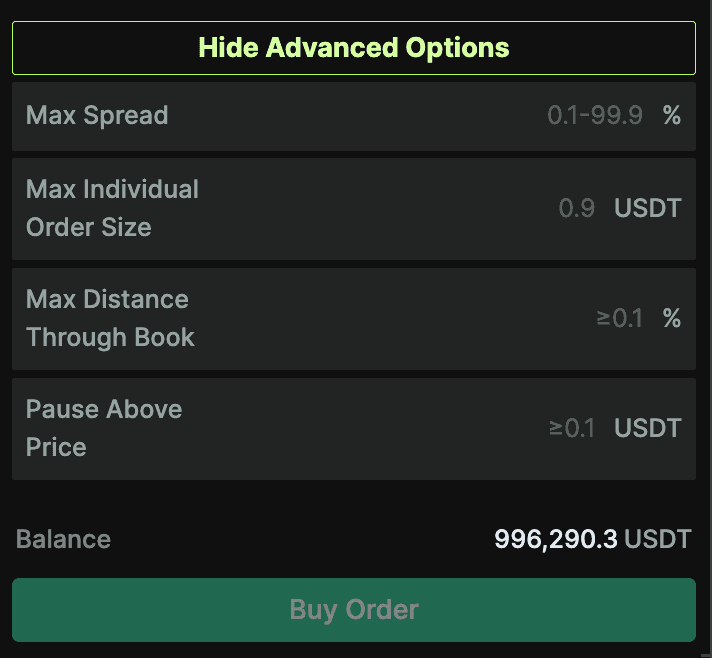
Advanced TWAP Fields Explained:
Max Spread: An individual order won't be placed if the order book's maximum spread surpasses your set slippage tolerance.
Max Individual Order Size: Define the upper limit for the size of each TWAP order.
Max Distance Through Book: Orders won't execute if the price falls outside your designated range from the best price. While the system aims to adhere to this, it's not guaranteed, and executions beyond the range may still occur.
Pause Above Price: Orders halt if their execution price tops your set threshold. Again, the system aims for accuracy, but exceeding the specified price can still happen.
OCO Orders
What are OCO Orders?
OCO (One-Cancels-the-Other) Orders combine a stop-limit order with a limit order. If one part of the order executes, the other is canceled. This helps minimize potential losses.
OCO orders can be selected under the Advanced Tab.
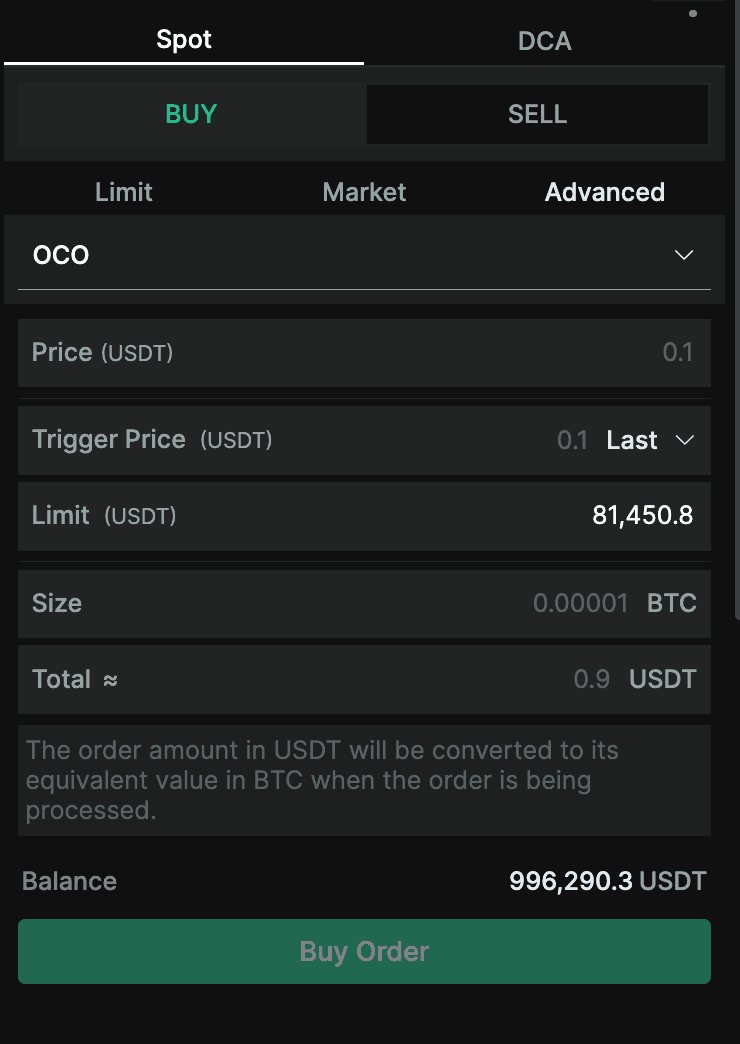
OCO Order Fields Explained:
Price: The limit order price at which you aim to buy or sell for profit.
Trigger Price: The trigger price for the stop limit order. This order stays dormant until the index price matches or surpasses the set stop limit price.
Limit: The predetermined price for the stop limit order where you intend to execute a stop loss buy or sell.
Size, Total: Represents the order volume and its corresponding estimated value in USDT.