How Can I Read the Leverage Tab and Asset Details for Futures Trading?
Learn how to navigate leverage settings, risk limits, and wallet details on ZMO's futures trading interface — including the difference between cross and isolated margin modes.
LL
Lulu Liu
8 min

Trading futures can be complicated. To better understand what you’re trading, and how leverage and risk limit settings can be changed, we’ve published a comprehensive guide on how to navigate them on the ZMO trading interface.
Understanding Leverage Settings
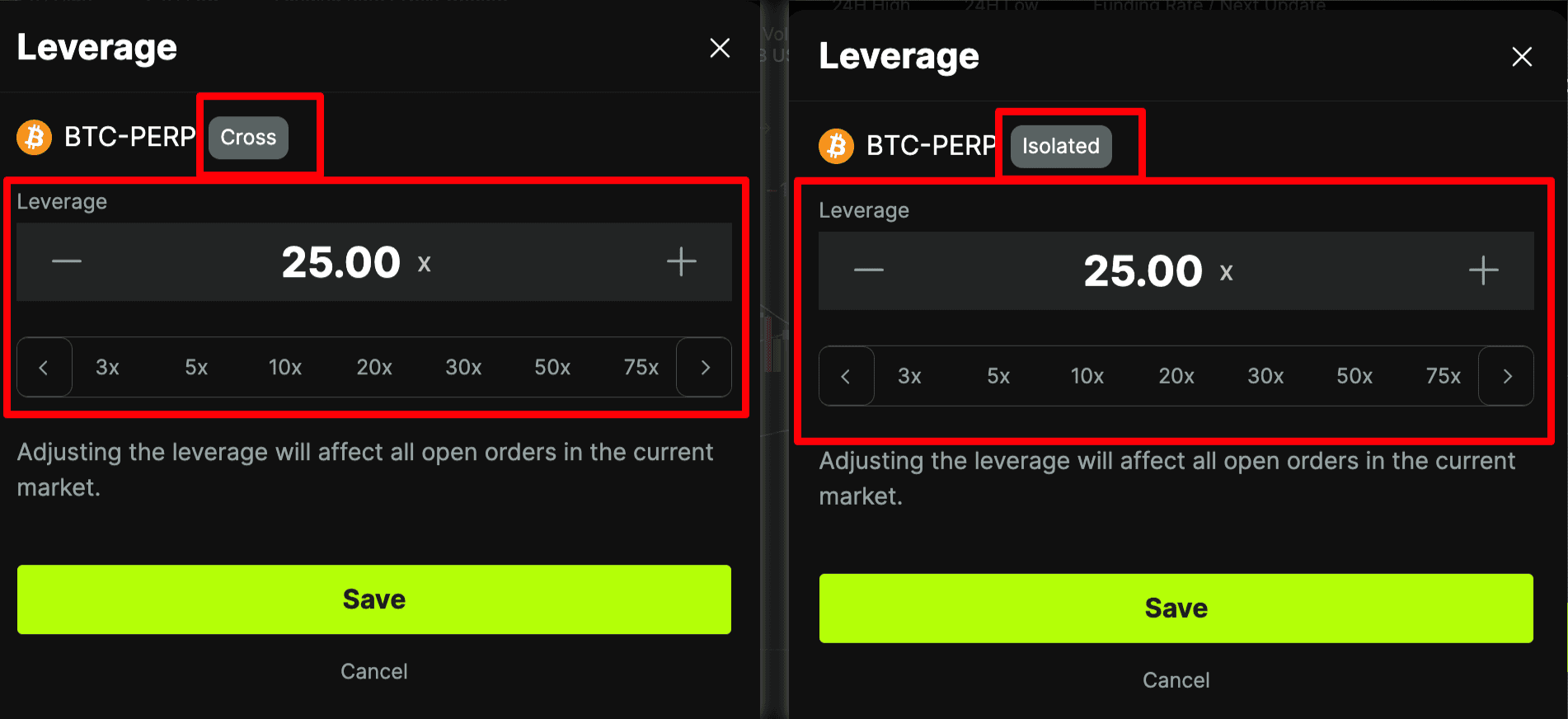
Leverage - Cross: 100x leverage; your margin will draw upon funds in your Cross Wallet.
Leverage - Isolated: 100x leverage; and your margin will draw upon funds in your Isolated Wallet.
The more leverage you use, the more you can amplify your margin’s trading power, but the easier it is to get liquidated and lose your entire margin.
For more information, please visit our page on leverage
Understanding Risk Limit Settings

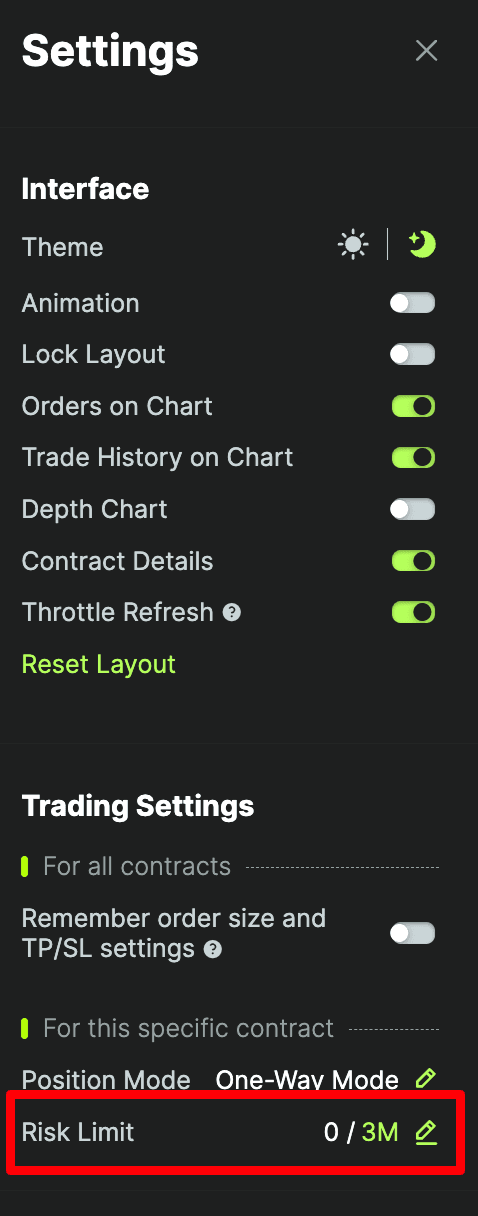
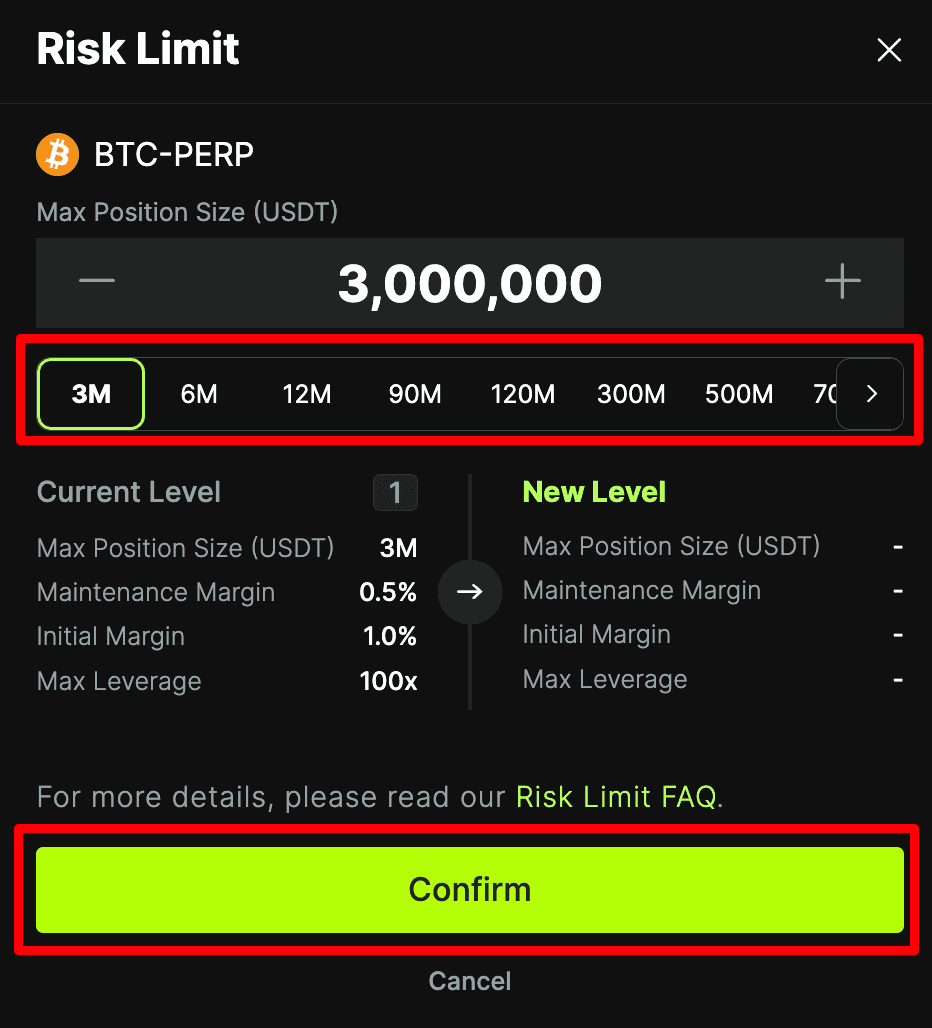
Risk limit settings are different for each perpetual futures contract and affect the amount of leverage you can use to amplify your trading power.
If you would like to change your default Risk Limit for a particular futures contract, please click the settings icon in the top right corner of the trading page. Then click the edit button next to Risk Limit.
If this order/trade will make the notional value of your position exceed the cap allowed under your current risk limit, the system will remind you to raise your risk limit level.
When you select a new risk limit level, a new popup window will show you the new Maintenance Margin and Initial Margin requirements. Click "Confirm" to complete the changes.
For more information, please visit our page on risk limits
Understanding Futures Asset Details
Asset Details (Cross Wallet)
Asset Details (Isolated Wallet)
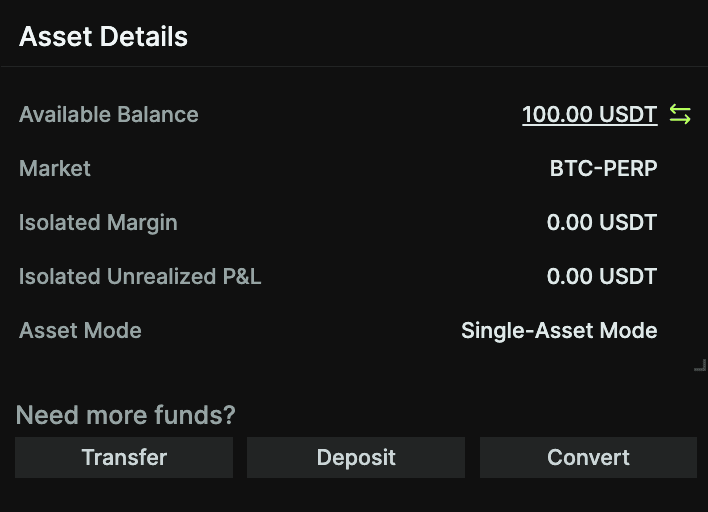
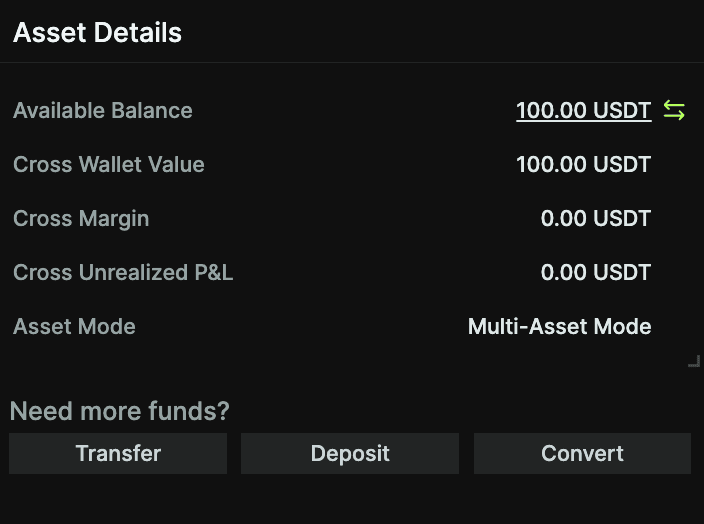
The Asset Details section will display either Cross Wallet (CROSS) or Isolated Wallet (BTC-PERP) characteristics, based on the leverage you select.
If the Margin Mode is in Cross mode:
Available balance: Wallet Balance - Position Margin - Order Margin
Cross Wallet Balance: Deposits - Withdrawals + Realised PnL
Cross margin: Cross position margin + Cross order initial margin
Cross Unrealized P&L = Current unrealized P&L in your Cross Wallet.
Asset mode: Multi-asset mode using multiple margin assets, and only supports Cross Margin Mode.
If Margin Mode is in Isolated mode:
Available balance: Wallet Balance - Position Margin - Order Margin
Isolated margin: Isolated position margin + Isolated order initial margin
Isolated Unrealized P&L = Current unrealized P&L in your Isolated Wallet.
Asset mode: Single Asset Mode facilitates futures trading by utilizing only the designated margin asset, typically USDT, and exclusively supports Isolated Margin Mode.


