How Do the Hedge and Multiple Position Modes Work with Isolated Margin Mode?
Learn how Hedge and Multiple Position Modes work with Isolated Margin on ZMO. Discover how to manage margins, adjust leverage, and optimize your trading.
LL
Lulu Liu
8 min

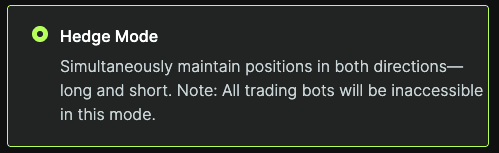
Q: What is Hedge Mode?
A: Hedge Mode enables traders to simultaneously hold both long and short positions in the same market. Under Isolated Margin Mode, the respective margins for two positions in different directions can also be separate. Additionally, each long and short position can have individual leverage settings, making it easier for you to manage risk.
Q: What is Multiple Position Mode?
A: The Multiple Position Mode permits traders to simultaneously hold multiple long and short positions in the same market. Each position has its own independent margin and leverage settings. This enables increased flexibility when opening positions, because it ensures that each entry price remains independent across different positions. Please note: currently, a maximum of five positions and orders can be opened simultaneously for a single market.

Q: How can I toggle between these modes?
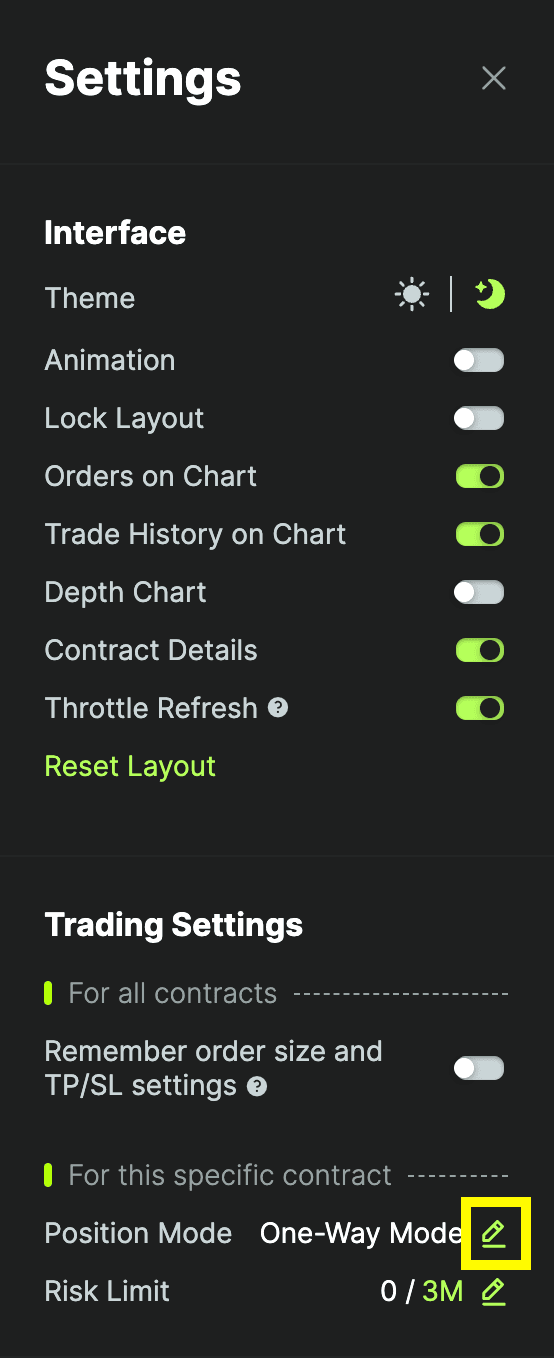
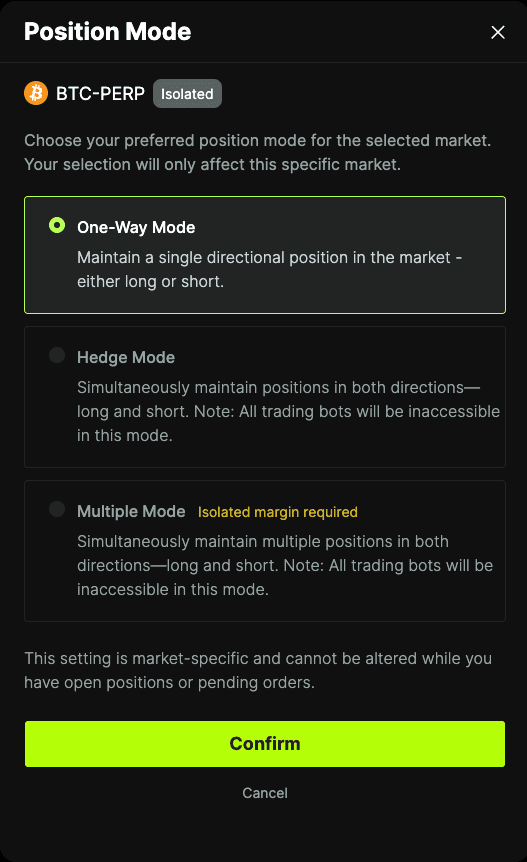
A: First, go to the Futures Market trading page on ZMO. Click the "Settings" button in the top right corner (boxed in yellow), click "Position Mode", select your desired position mode, and click Confirm to switch.

Q: How can I adjust Leverage for Hedged Positions in Isolated Margin Mode?
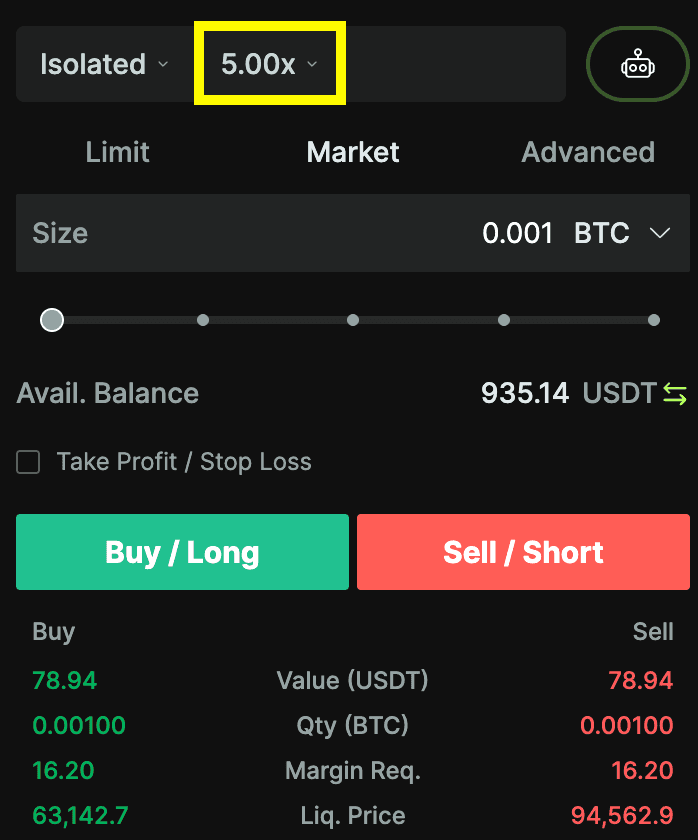
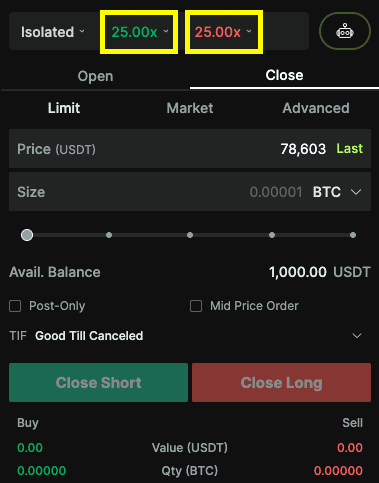
A: Traders can adjust leverage for hedged positions through two ways: either in the order form or under the Positions tab.
Order form leverage settings
Positions tab leverage settings

Q: How can I Adjust Leverage for Multiple Positions in Isolated Margin Mode?
A: Traders are able to adjust each position’s leverage directly within the Positions tab; each position must be adjusted separately.
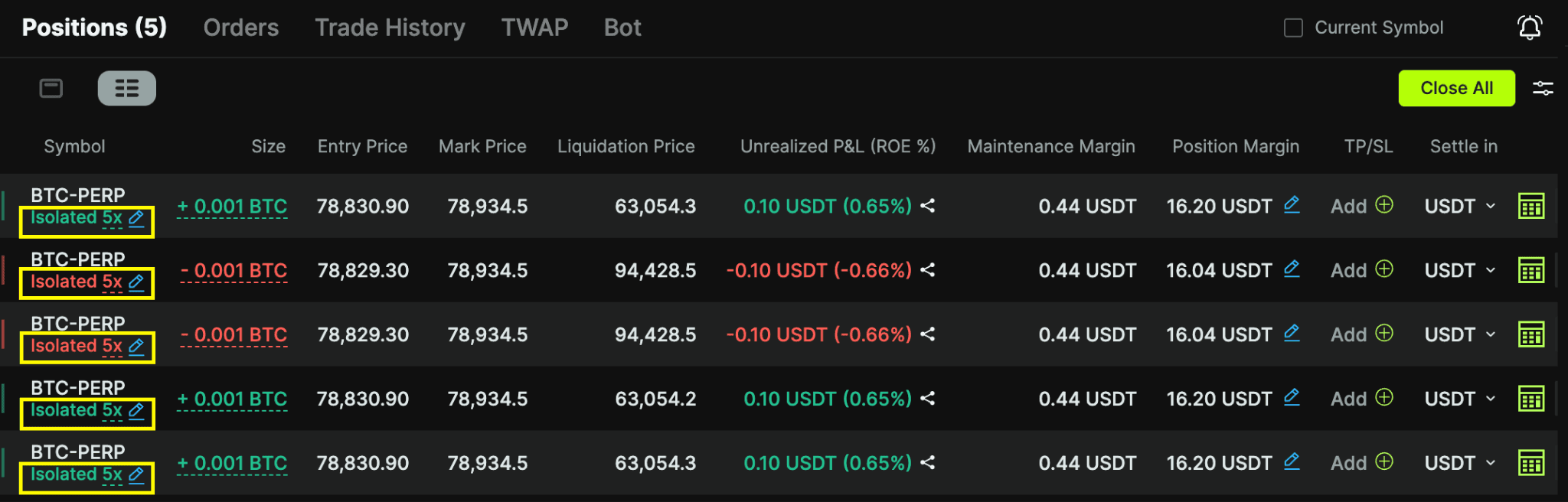
Please note: Adjusting leverage on the Order form will only apply the new leverage settings to new position openings. Existing positions will not be affected post-adjustment.