How Should I Read the Order Book?
ZMO's order book displays all unfilled buy and sell orders in real time. Green prices are bids, red are asks — click any price to auto-fill your order.
LL
Lulu Liu
8 min

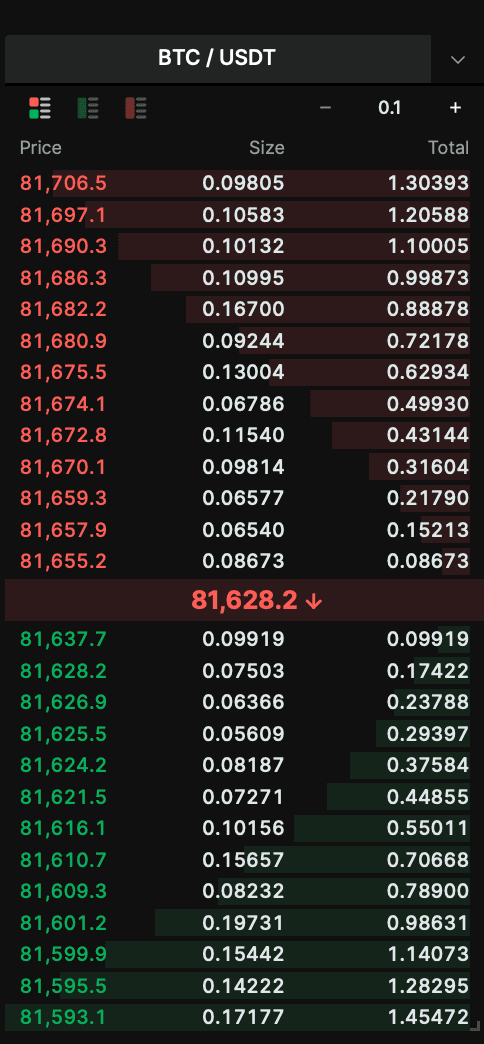
The Order Book is where trade orders that haven’t been filled are displayed.
Prices in red are the current Sell (Ask) order prices
Prices in green are the current Buy (Bid) order prices
If you would like to take a price that already exists on the Order Book, you can click the Buy/Sell Price and the system will automatically fill in the price for you.
For example, in the picture above:
• The best Bid Price is: $81637.7 with .09919 contracts
• The best Ask Price is: $81655.2 with .08673 contracts
*If you are a buyer, you should check the Sell Prices at the top to see how high you are willing to buy at; if you are a seller, you should check the Buy Prices at the bottom.


