How to Buy Your First Bitcoin on ZMO
New to crypto? Learn how to buy your first Bitcoin on ZMO with this step-by-step guide covering spot trading, order types, and executing your first trade.
LL
Lulu Liu
8 min

New crypto investors may sometimes find buying Bitcoin or other digital assets complicated. ZMO offers streamlined, secure ways to acquire and trade cryptocurrencies on its easy-to-use, intuitive platform.
You can begin trading immediately by depositing supported digital assets into your ZMO wallet like BTC or USDT.
Below is the definitive guide on how to fund your account and navigate our Spot Market to buy your first Bitcoin on ZMO.
Just a reminder: Before starting to start buying your first Bitcoin, always make sure your ZMO account is funded. Check out our How to Fund Your Account tutorial before starting to trade.
Step 1: Navigating the ZMO Spot Trading Interface
Here’s how you can start exploring ZMO’s spot trading features:
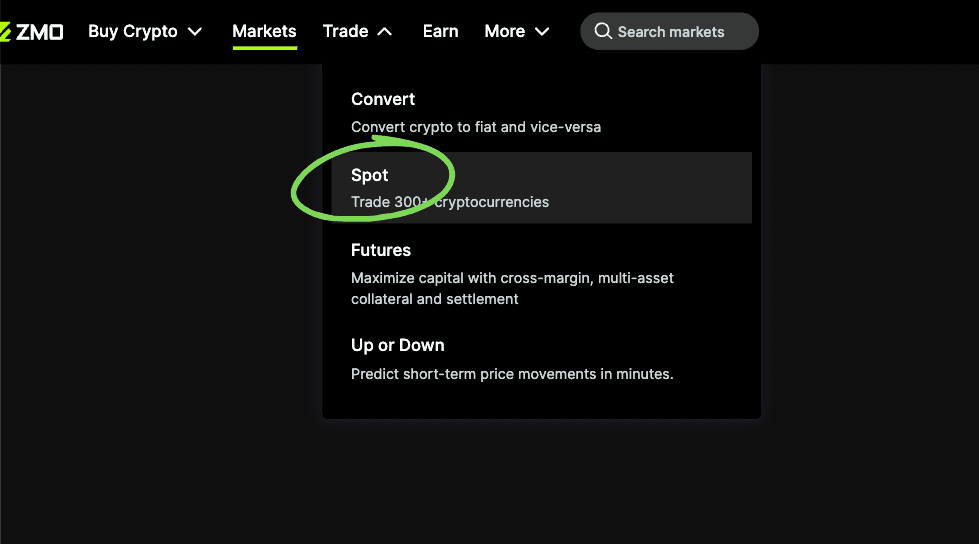
Access the Terminal: Select Trade from the main menu and click on Spot.
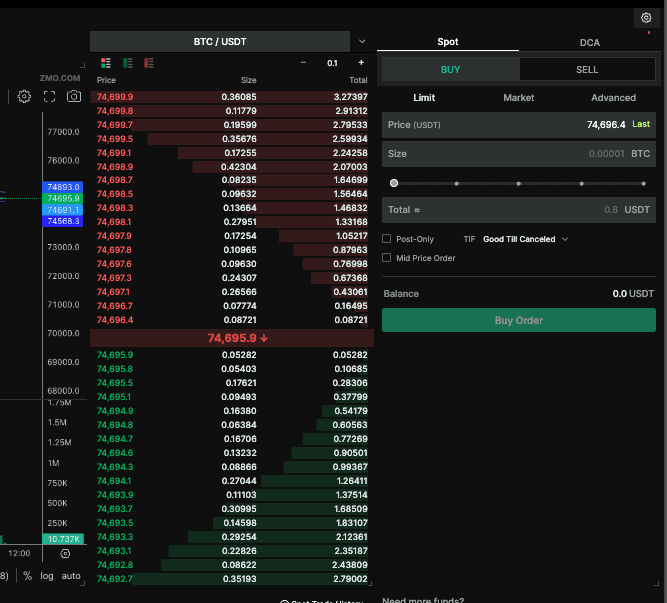
2. Get Used to the Interface Layout:
The Chart: Displays price action and technical indicators.
The Order Book: Shows real-time buy and sell interest from other traders.
The Order Form: Where you input your specific trade parameters.
Step 2: Mastering Order Types for Crypto Pairs
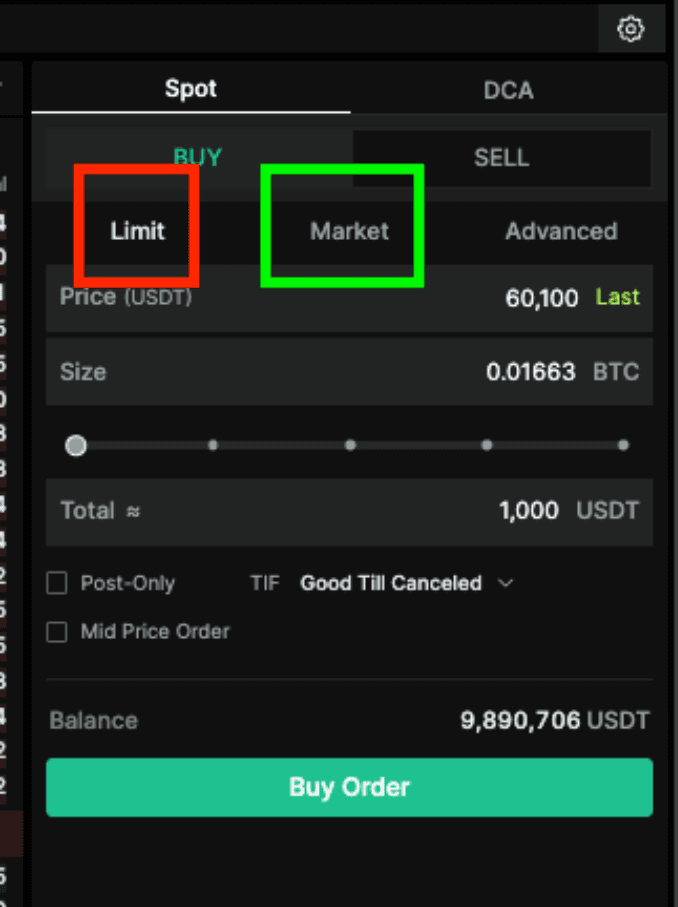
On ZMO, you have precise control over how you enter and exit positions. We focus on two primary order types to ensure you get the best possible execution:
Market Orders (Instant Execution)
Use a Market Order if your priority is speed. This order type buys or sells your crypto immediately at the best available price currently sitting in the order book. The downside is that you may get a worse price and lose some money to slippage.
Best for: Capturing a price movement instantly.
Limit Orders (Waiting for the Perfect Price)
Use a Limit Order to specify the exact price you are willing to pay or accept. Your trade will wait and only execute if the market reaches your designated price.
Best for: Strategic entries and avoiding "slippage" during volatile periods.
Step 3: Executing and Reviewing Your Trade
Pair Selection: Locate the market search bar and select your desired pair, such as BTC/USDT.
Input Details: Enter the amount of the asset you wish to trade. For limit orders, enter your target price. In this example, we will purchase 1000 USDT worth of Bitcoin at the current price, 0.01231.
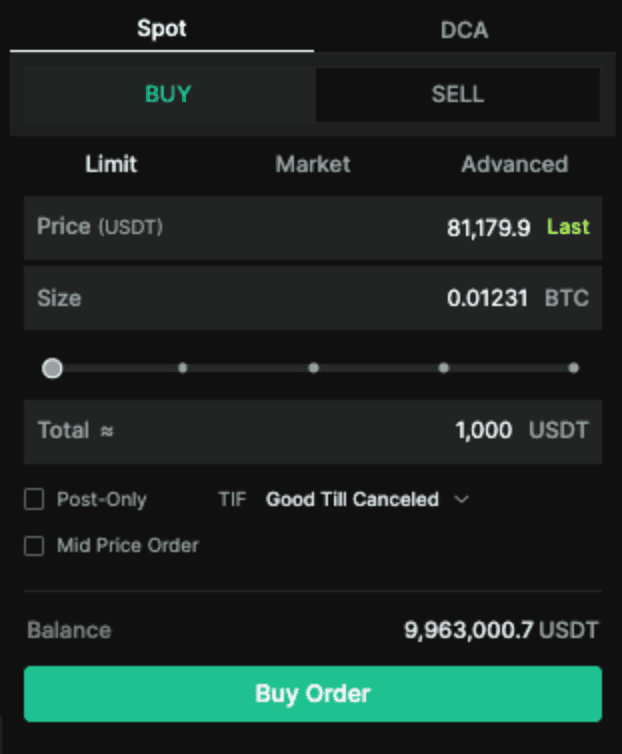
3. Confirmation: Click Buy. Your open orders will appear at the bottom of the screen until they are filled.

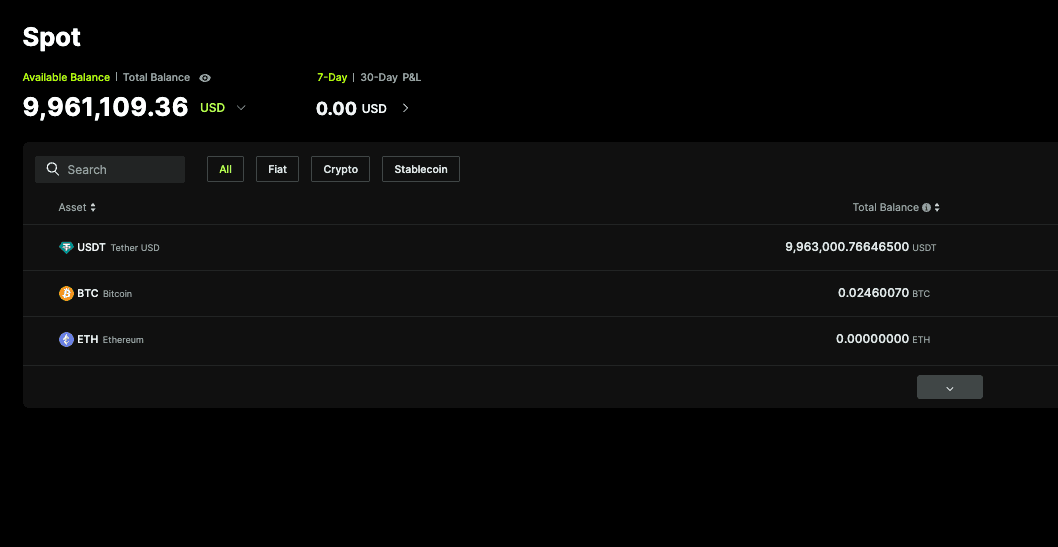
4. Portfolio Update: Once filled, your Bitcoin will be instantly settled into your ZMO Spot Wallet, ready for further trading.
Want to get started?
Click here to make your first deposit.
If you already have USDT on ZMO, click here to make your first trade.


