How to Trade Crypto on ZMO for the First Time
A step-by-step guide to making your first crypto trade on ZMO, from funding your account to placing your first order.
LL
Lulu Liu
8 min

ZMO’s trading interface is designed to provide a secure, streamlined trading experience for all users.
You’ll be able to start swapping crypto-to-crypto as soon as you set up an account and deposit funds into your ZMO wallet.
Here’s how you can get started.
Phase 1: Funding Your ZMO Account with USDT
To begin trading, you must first transfer cryptocurrencies from an external wallet or another exchange to your ZMO account.
Log in to your verified ZMO account.
Navigate to the "Wallet" or "Assets" section and select "Deposit."
Choose the specific cryptocurrency you wish to deposit (e.g., USDT, ETH).
Select the correct network. Ensure the network on the platform you’re sending from matches the one selected on ZMO (e.g., ERC-20, TRC-20).
Copy your unique ZMO deposit address or scan the QR code to initiate the transfer from your external source.
Tip: Always perform a small test transaction when using a new wallet address to ensure connectivity and accuracy.
Phase 2: Navigating ZMO’s Spot Trading Interface
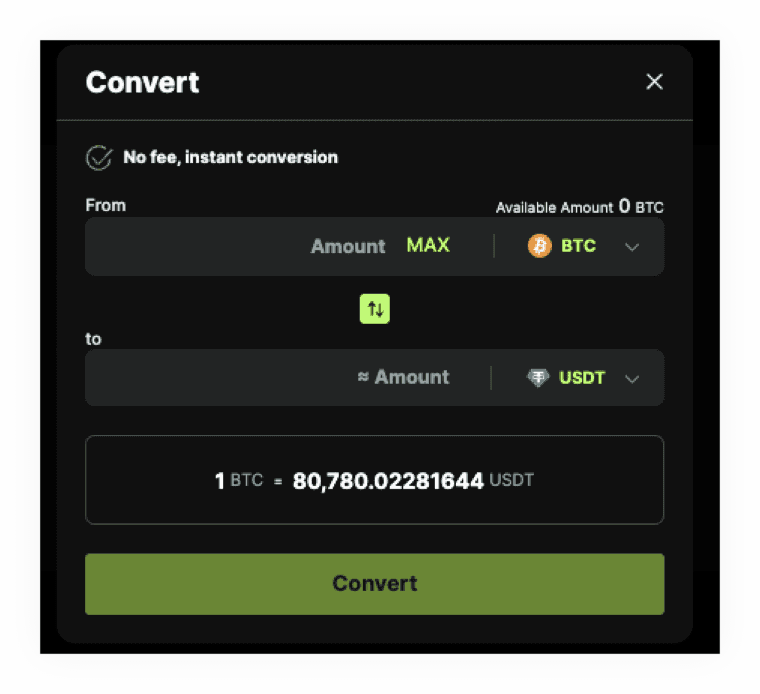
Spot trading is the most common, minimal slippage method for purchasing Bitcoin. Alternatively, you can also do a simple swap with our Convert feature, but this incurs more slippage than a typical spot trade.
Spot trading involves the immediate purchase of the asset at the current market price (Market Order), or waiting until the market price hits a specified target price you’re willing to wait for (Limit Order).
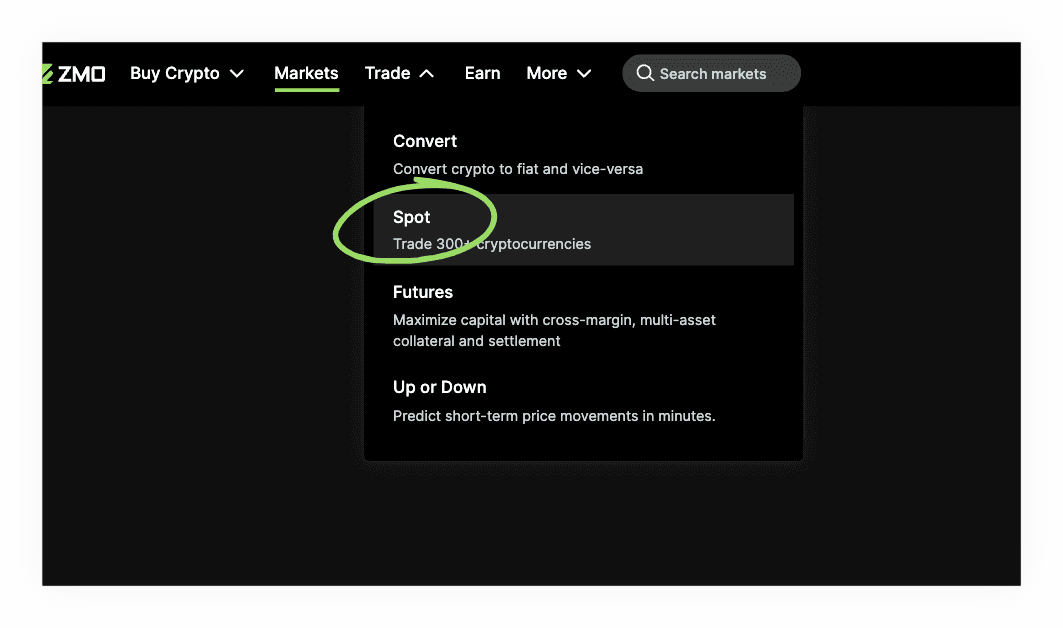
To access the trading interface, go to the "Trade" tab and click "Spot."
Master the Order Types
To trade effectively on ZMO, it is essential to understand the primary order types available in the spot market:
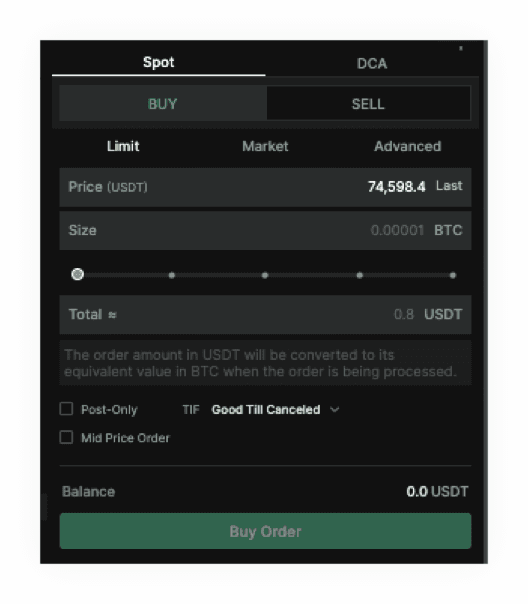
Market Orders: These are executed instantly at the best available price in the ZMO order book, but you might get a worse price. Use this if your priority is immediate execution and you can’t wait any longer.
Limit Orders: These allow you to set a specific price at which you are willing to buy Bitcoin. The trade will wait and only execute if the market hits your designated price. This provides precise control over your entry point and minimizes slippage.
Advanced Orders: For more sophisticated strategies, ZMO supports stop-loss orders. These act as automated triggers, placing a limit order only when a certain "stop" price is reached, helping you manage risk and protect your capital.
How to Execute Your First Bitcoin Trade
On the Spot Trading page, select the trading pair you wish to use (e.g., BTC/USDT).
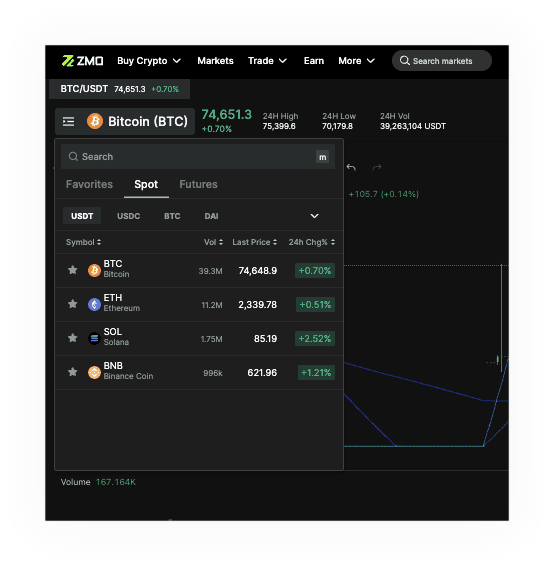
Review the order book on the left to see live buy and sell interest.
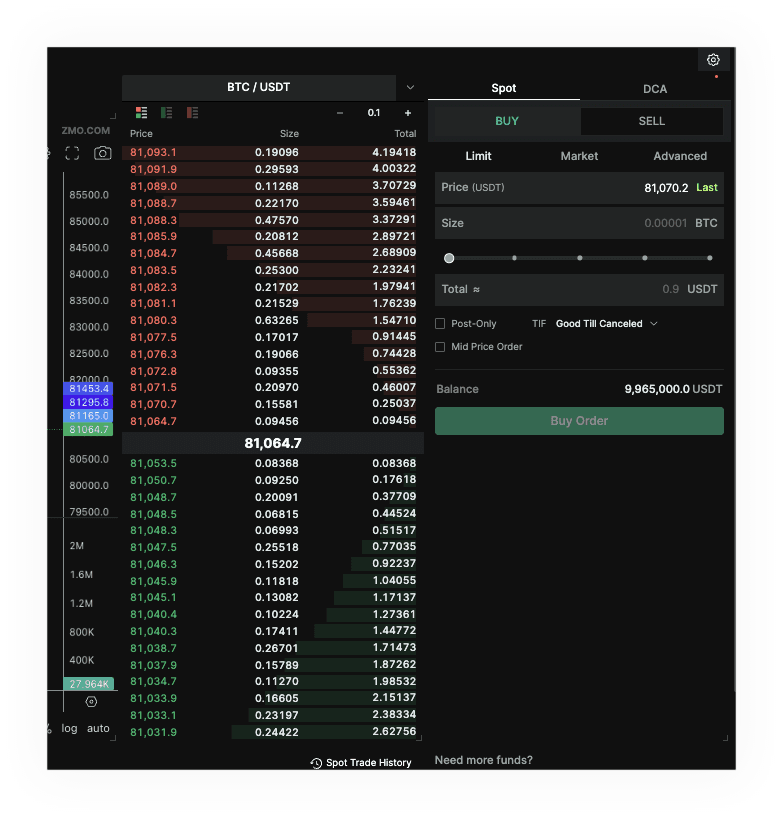
In the Order Module, choose between Limit or Market.
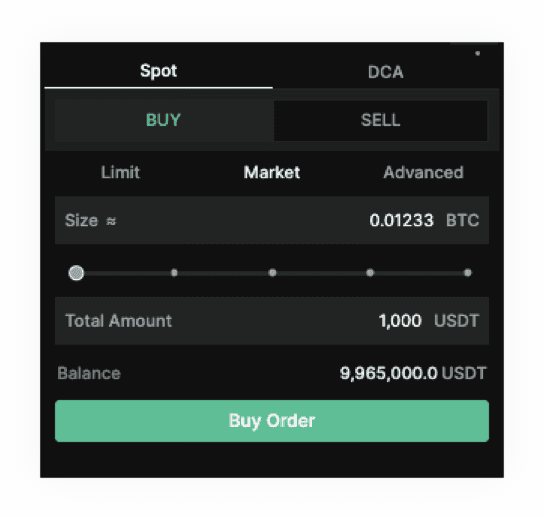
Enter the amount of Bitcoin you wish to purchase or the amount of USDT you wish to spend. In this case, we will purchase 1,000 USDT worth of BTC.
Click "Buy Order." Your assets will be instantly credited to your ZMO wallet once the order is filled.
You can backtrack to your wallet to see your new balance.
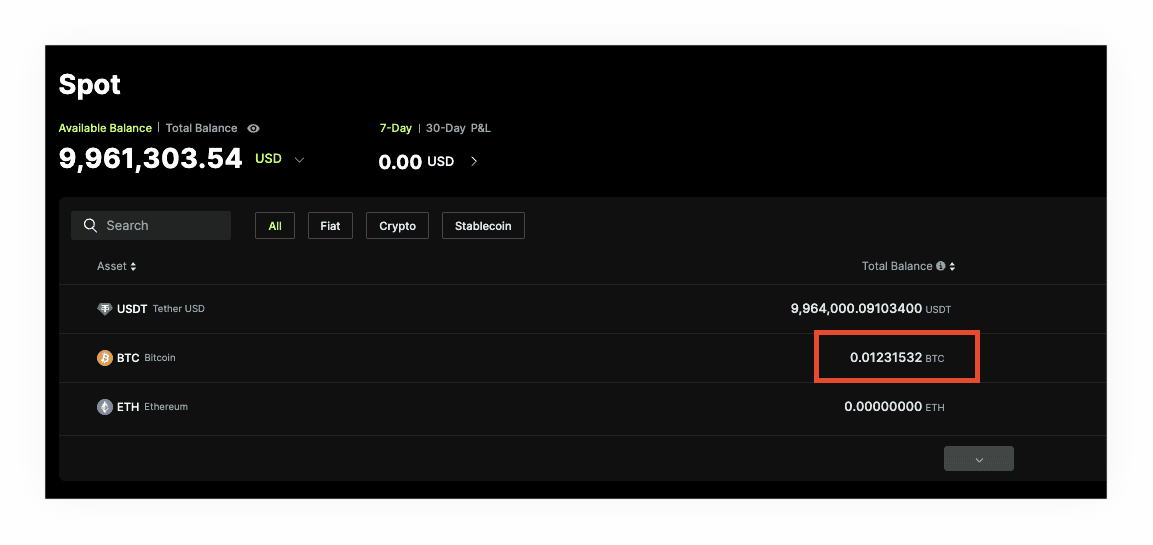
You’re done with your first spot trade! Try making another one here.