3 Steps to Launch Your First AutoTrader Strategy on ZMO
Description goes here
LL
Lulu Liu
8 min

Automated crypto trading has changed the way investors interact with digital assets.
By removing the emotional volatility associated with manual trading, algorithmic trading strategies allow for systematic, data-driven decision-making and execution.
Our AI-powered crypto trading bots are designed to simplify and automate market analysis, making it easier for users to deploy strategies across a wide array of tokens, including Bitcoin, Ethereum, and many others.
This guide outlines how to get started with your first strategy on the ZMO mobile app.
Step 1: Access the AutoTrader Interface on the ZMO App
On the Home Page of your app, click on the AutoTrader icon.
[Insert Image]
Step 2: Select Your AutoTrader Strategy
Once inside the AutoTrader interface, you will find two ways to filter strategies:
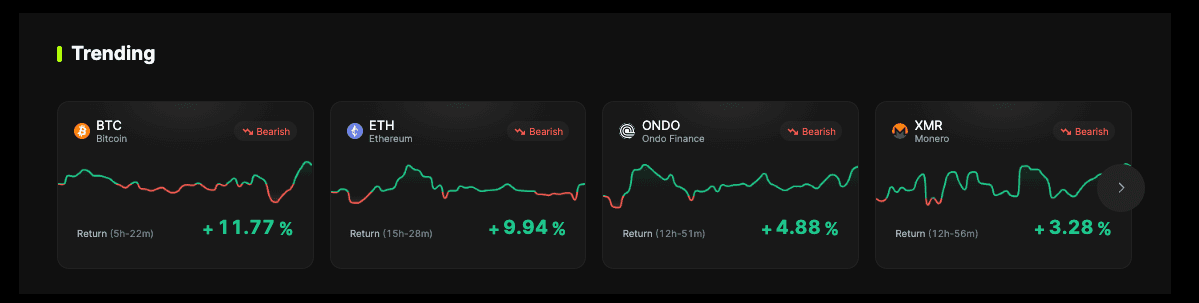
Highlighted Strategies: This section provides a shortlist of top-performing options. You can identify strategies based on market trends, including Trending strategies, those with the Highest or Lowest Returns, or those marked as Most Active, meaning the strategies that are most popular at this moment in time.
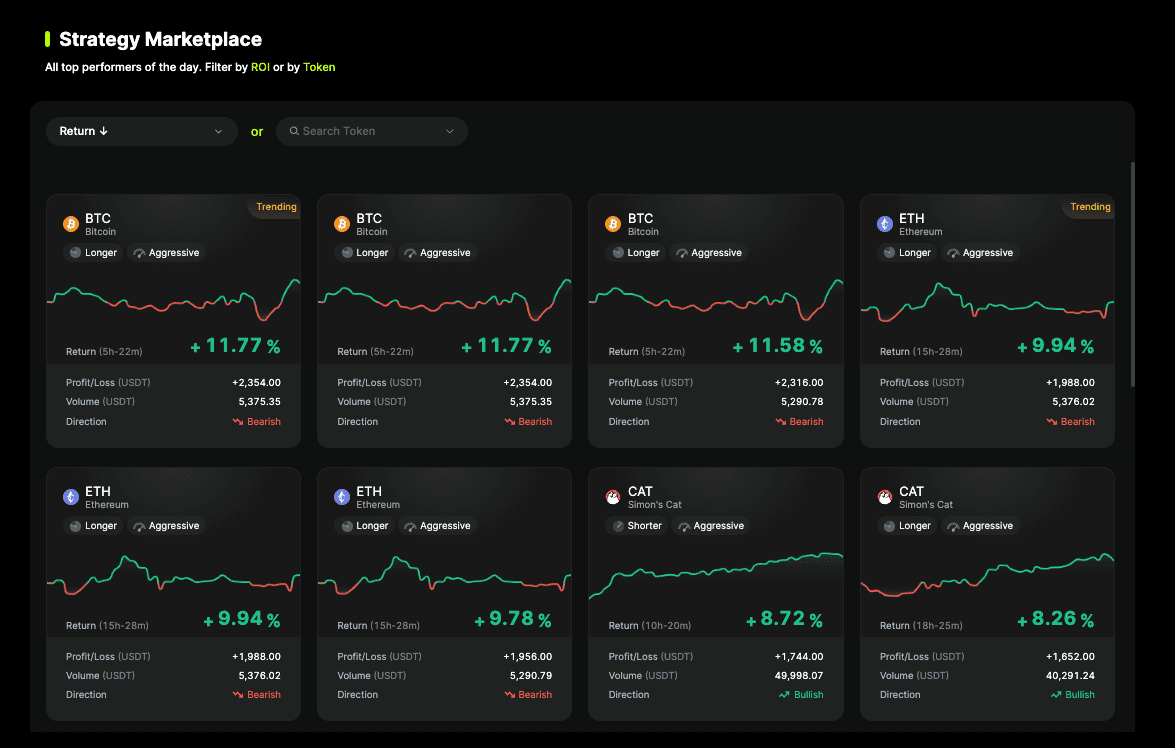
All Strategies: For users seeking a more tailored approach, this section allows you to filter by specific tokens and ROI metrics. Simply input the ticker of your desired asset (e.g., "BTC") to view all available automated strategies dedicated to that token.
Step 3: Configure AutoTrader Strategy Settings and Allocate Capital
After selecting a strategy, the final step involves setting your parameters and allocating capital.
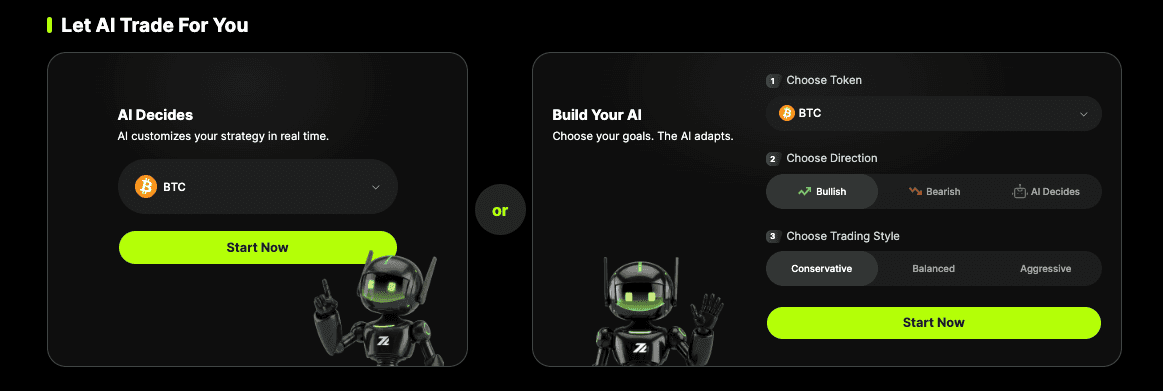
Step 1: Tweak settings for your strategy. Are you bullish or bearish? Do you want to keep this strategy running longer or shorter? Do you want this strategy to trade aggressively or more conservatively?
Step 2: Input how much you want to invest in the strategy. The more you invest, the more potential profit you could gain, but the potential loss increases as well.
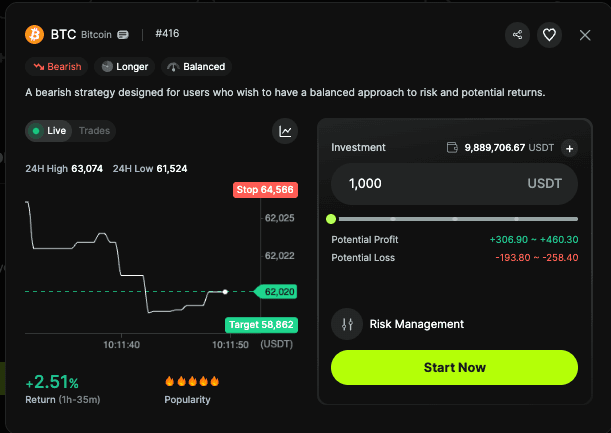
Step 3 (optional): Click on the Gear icon to tweak your strategy even further, setting Take Profit / Stop Loss or Trailing Stop conditions to close your strategy once it hits certain goals.
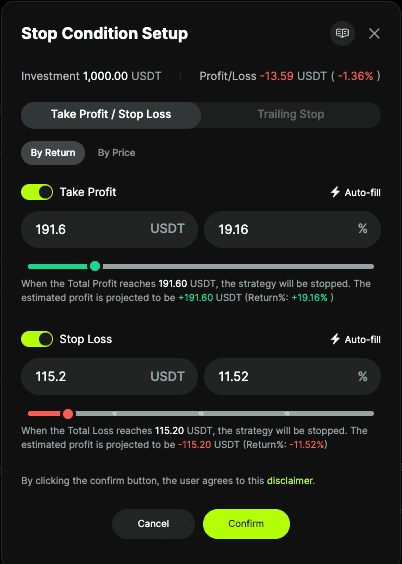
Once you have reviewed the details, click Start to activate your strategy.
Monitoring Your AutoTrader Strategies
Upon launching your strategy, you can track its real-time performance.
Navigate to "My Portfolio" to monitor your active bots, review your watchlist, and analyze your trade history.
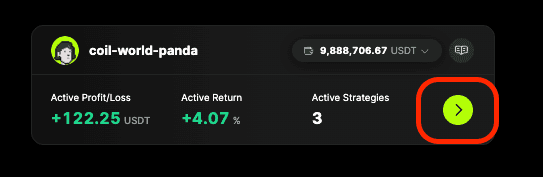
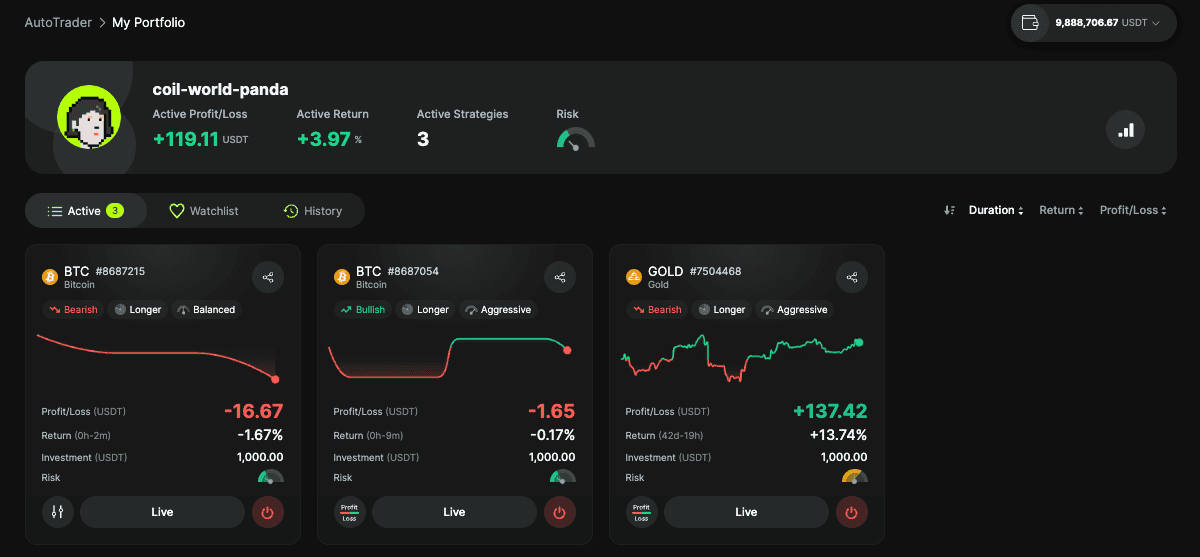
This data-rich view allows you to see all of the buy and sell orders the strategy is deploying on your behalf. Here, you can maintain full oversight of your automated portfolio and make informed adjustments as market conditions evolve.
What Happens Next?
All you have to do is sit back and wait to see how your strategy will perform. Chances are, two things will happen.
Your strategy will become highly profitable and end once it hits its goal
Your strategy will lose money and close down to avoid further losses
You can also click the Loop button to keep strategies running if you think they have potential to generate more profits.
In general, we recommend that you deploy capital amongst a wide variety of different strategies at different times to better understand how they work, and then tweak new strategies as you become more comfortable with the platform.
Ready to try out a new strategy? Start a new one here.


