How Can I Add a Crypto Withdrawal Address to My Address Book?
Save your frequently used wallet addresses in ZMO's Withdrawal Address Book for faster withdrawals — no more copying and pasting the same address every time.
LL
Lulu Liu
8 min

Your Withdrawal Address Book lets you save frequently used withdrawal wallet addresses so you can select them quickly during a withdrawal transaction — so there’s no need for you to copy and paste the same address every time you make a withdrawal.
Here’s how you can save these addresses:
Go to Account > Security
Go to Crypto Withdrawal - Address Book and select Manage

Select Add Address
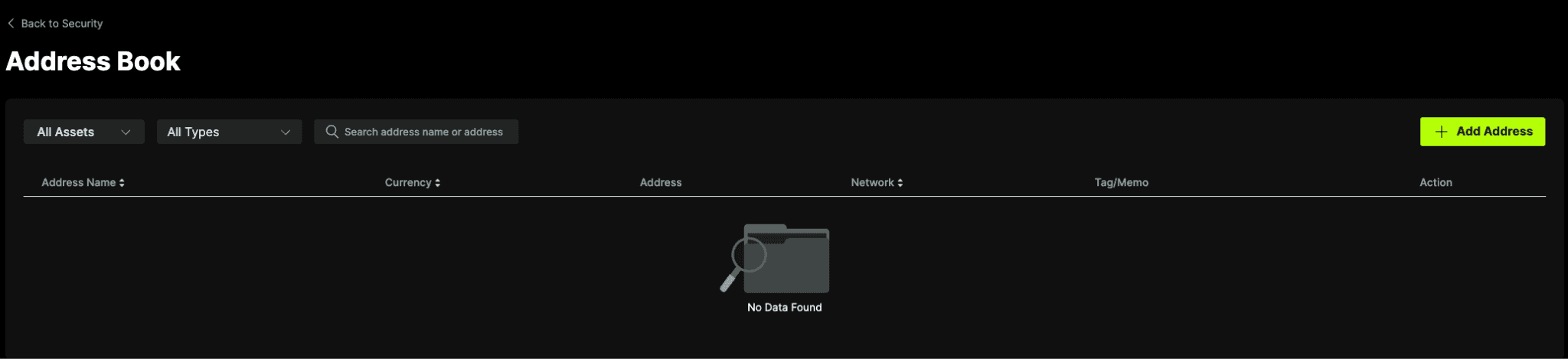
Enter your Address Name, Asset and Address. Thereafter, select Add Address.

Once saved, the address will appear as a selectable option the next time you make a withdrawal for that asset.
Note: Saved addresses are for your convenience only. You are not restricted to these saved addresses only — you may still manually enter any other valid wallet address when you initiate a withdrawal.