How Can I Use My Coin98 Wallet to Deposit Funds onto ZMO?
Deposit crypto to ZMO directly from your Coin98 Super Wallet. Connect in a few taps and transfer across ERC-20, BEP-20, Polygon, Avalanche C-Chain, and Viction networks.
LL
Lulu Liu
8 min
The Coin98 Super Wallet is a versatile, multi-chain crypto wallet that supports a wide range of digital assets. It allows you to store, manage, and transfer your cryptocurrencies across various blockchains with ease, all in one secure place.
If you want to deposit funds by transferring them from your Coin98 Super Wallet, kindly visit the ZMO Wallet page and follow the steps below:
Step 1.
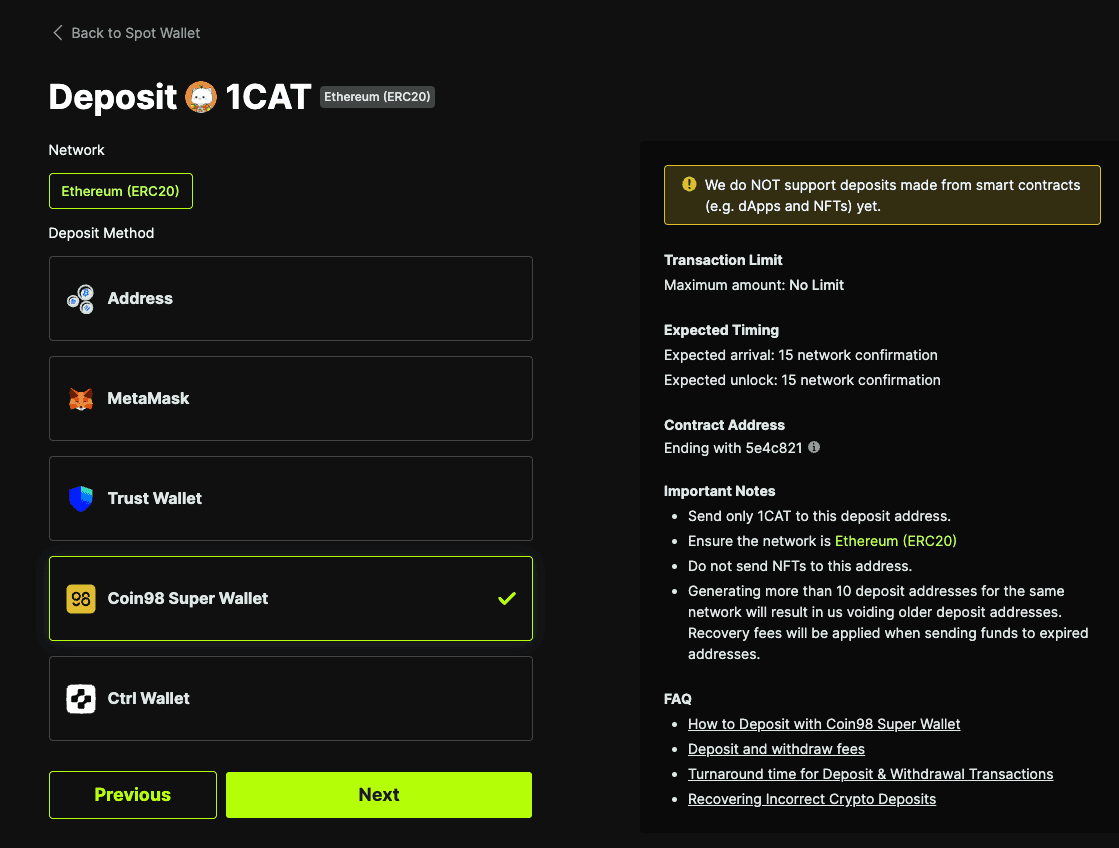
Go to the ZMO Wallet Page > Select a currency that is supported by Coin98 Super Wallet > Deposit > Select Coin98 Super Wallet as payment method.
Step 2.
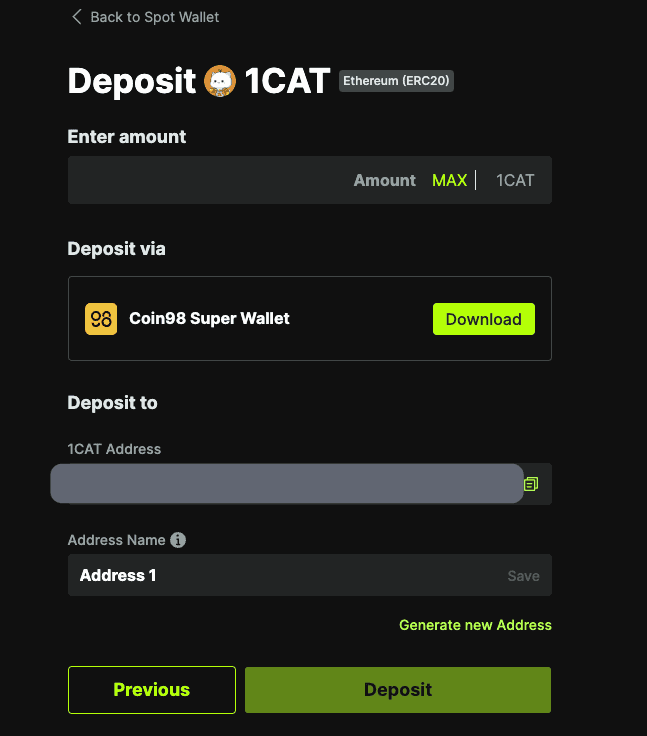
Click the Connect button next to Coin98 Super Wallet
Step 3.
Click Connect in your Coin98 Super Wallet pop-up window
Step 4.
Once connected, you can see your Coin98 Super wallet address on the ZMO wallet page.
Note: After making sure your Coin98 Super Wallet is connected, all supported cryptocurrencies will automatically be enabled. All you have to do is click Deposit, and a prompt should emerge on your Coin98 wallet interface. .
Note: ZMO now supports deposits/withdrawals on Avalanche C-Chain, BEP20, Polygon, ERC20 and Viction with Coin98 Super Wallets


