How Can I Withdraw Funds from ZMO to MetaMask?
Withdraw ETH and ERC-20 tokens from ZMO directly to your MetaMask wallet in six steps. Connect MetaMask to auto-fill your address and skip manual entry.
LL
Lulu Liu
8 min

You can withdraw cryptocurrency assets from your ZMO account directly to your MetaMask wallet by following these steps:
Step 1: Go to the Withdrawal Page
Log into your account
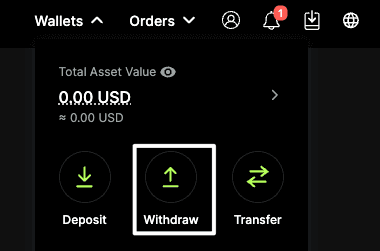
Navigate to Wallet → Withdraw
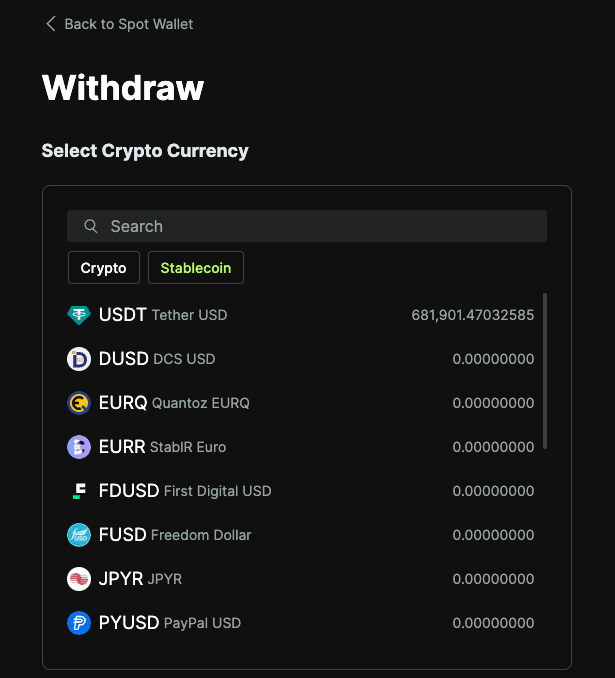
Select the cryptocurrency that you would like to withdraw. MetaMask supports Ethereum-based assets (ETH and ERC-20 tokens only).
Step 2: Connect Your MetaMask Wallet
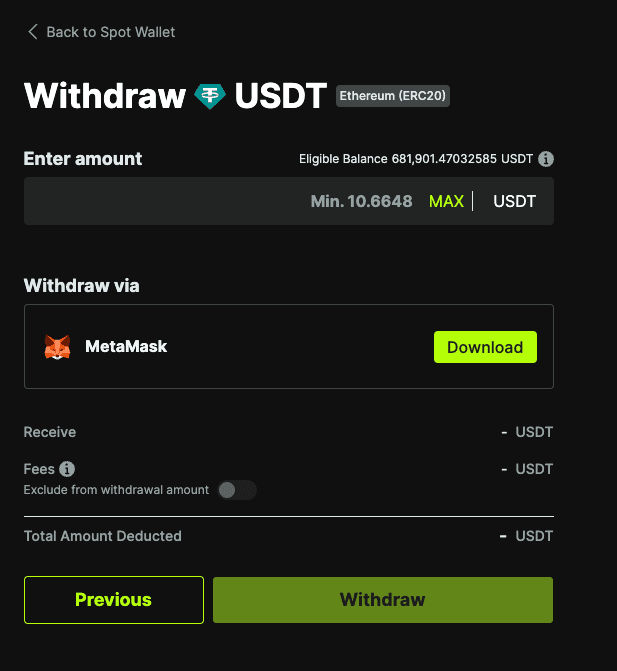
Click MetaMask as your withdrawal method
Click Connect
Select your MetaMask account and approve the connection
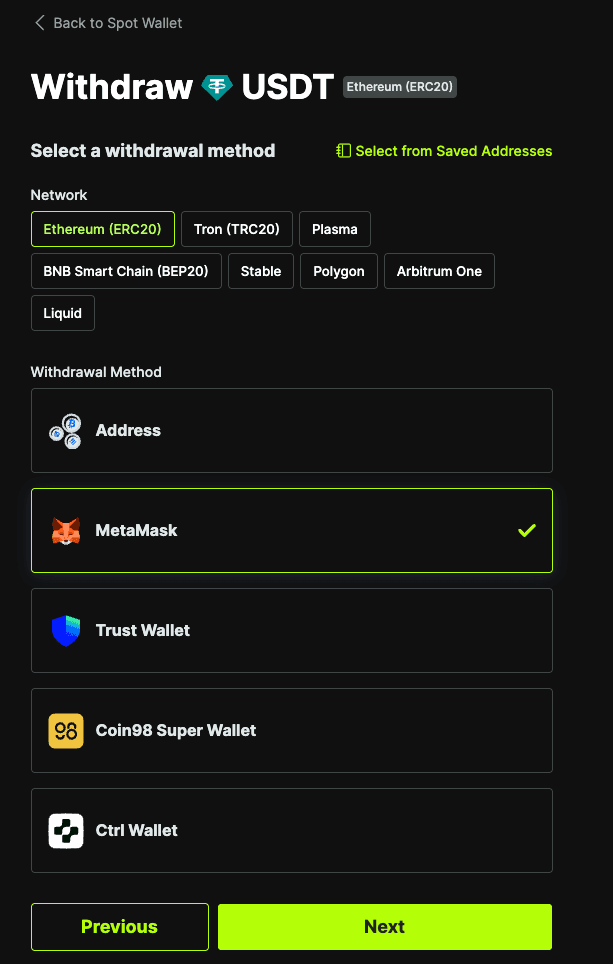
Once connected, your MetaMask wallet address will be displayed automatically.
Now let’s start the transaction.
Step 3: Enter Withdrawal Details
Enter the amount you wish to withdraw
Review the network and fees
Step 4: Review and Confirm Details
Double-check all details, including:
Wallet address (auto-filled via MetaMask)
Network (ERC-20)
Amount
Click Withdraw to proceed
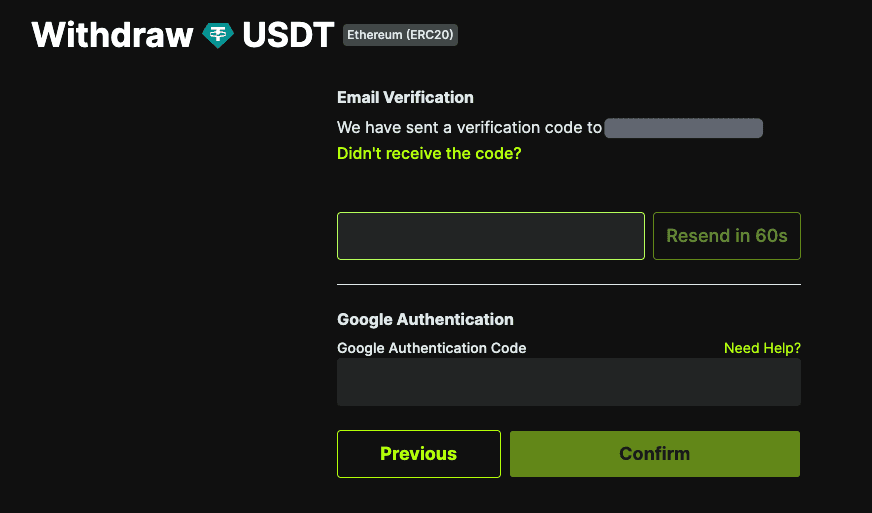
Step 5: Complete the Security Verification Process
Enter your 2FA / email verification code
Confirm the transaction
Step 6: Wait for Processing
Your withdrawal will be processed after submission
You can track the status in your Transaction History