How Can I Add or Rename Deposit Addresses on the ZMO App?
Manage your ZMO deposit addresses in the app — create new ones instantly, view your last 10 per token and network, and reuse old addresses safely. Deletion is not supported.
LL
Lulu Liu
8 min

Here are the steps required to delete or add wallet addresses on your ZMO app.
1. Open your ZMO App and click Deposit
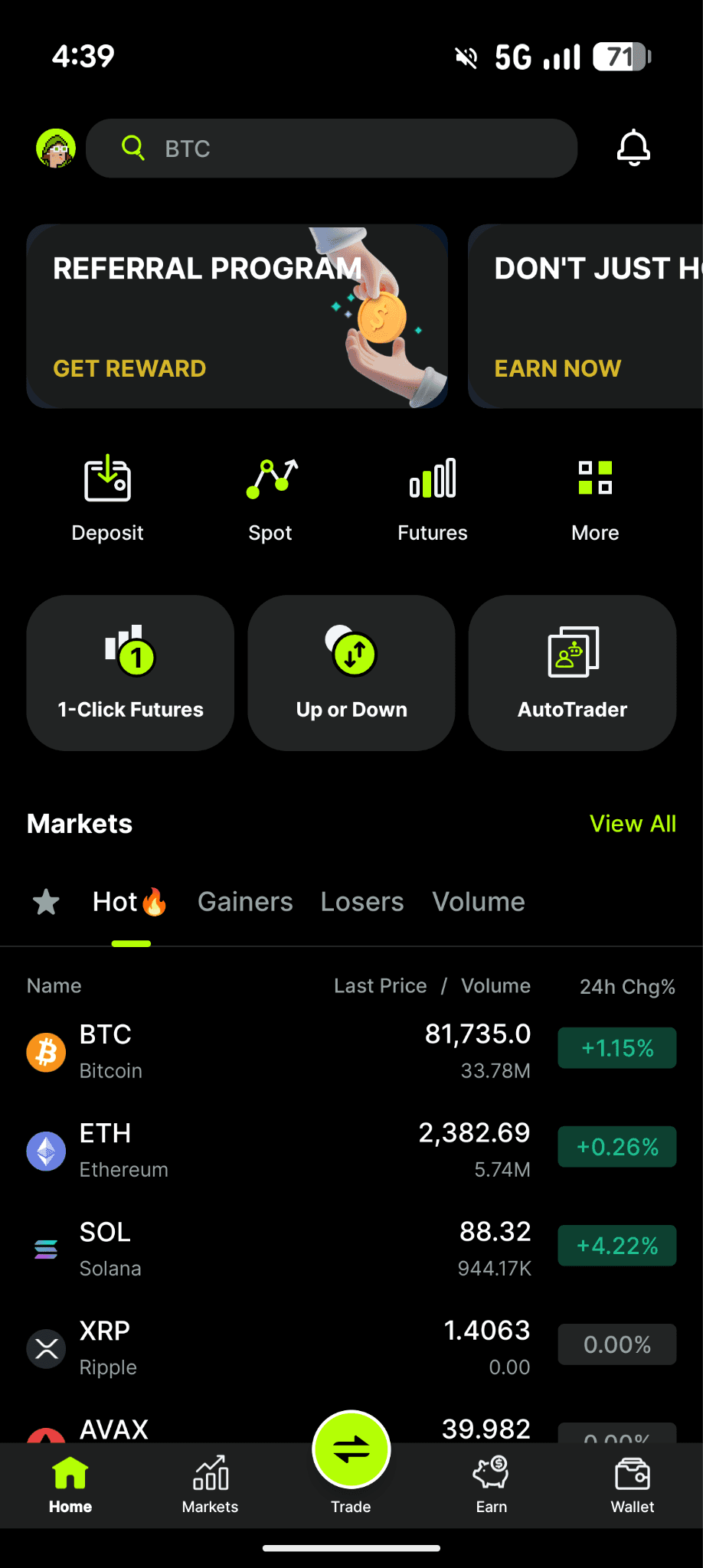
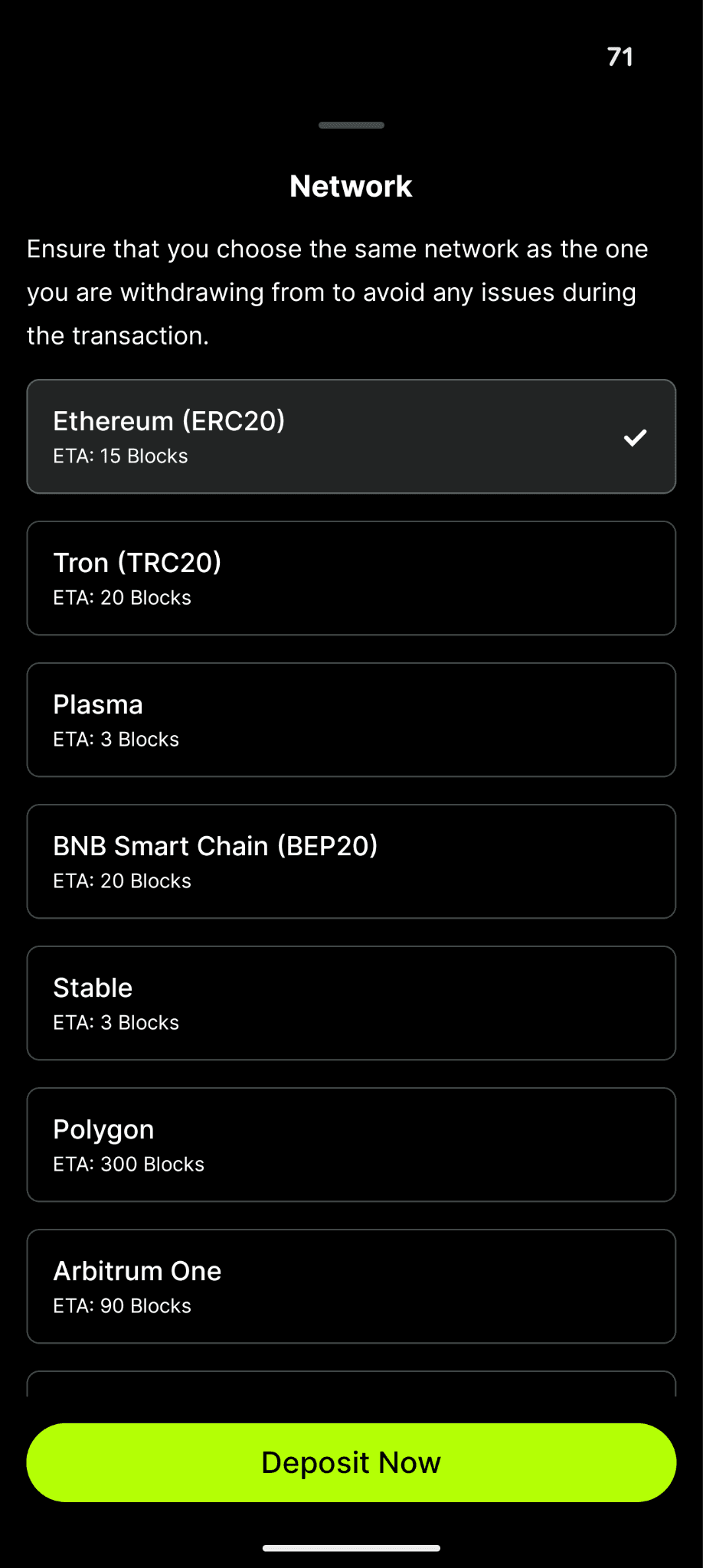
2. Select the token and network you want to deposit
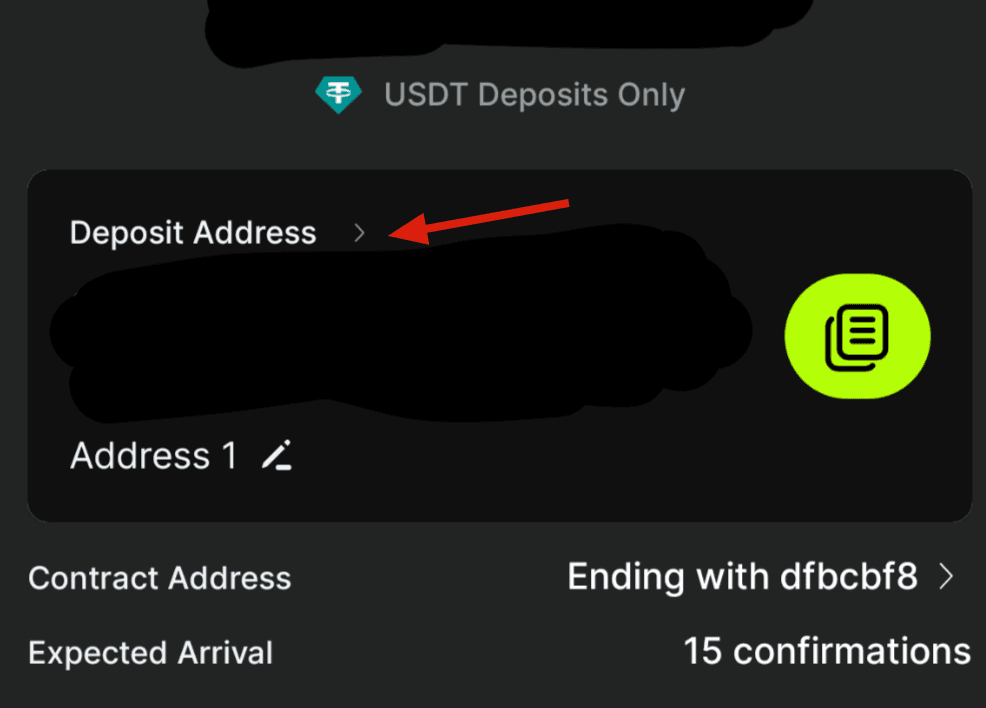
3. Select "Deposit Address" to manage your addresses, or the pencil symbol to rename your Deposit Address
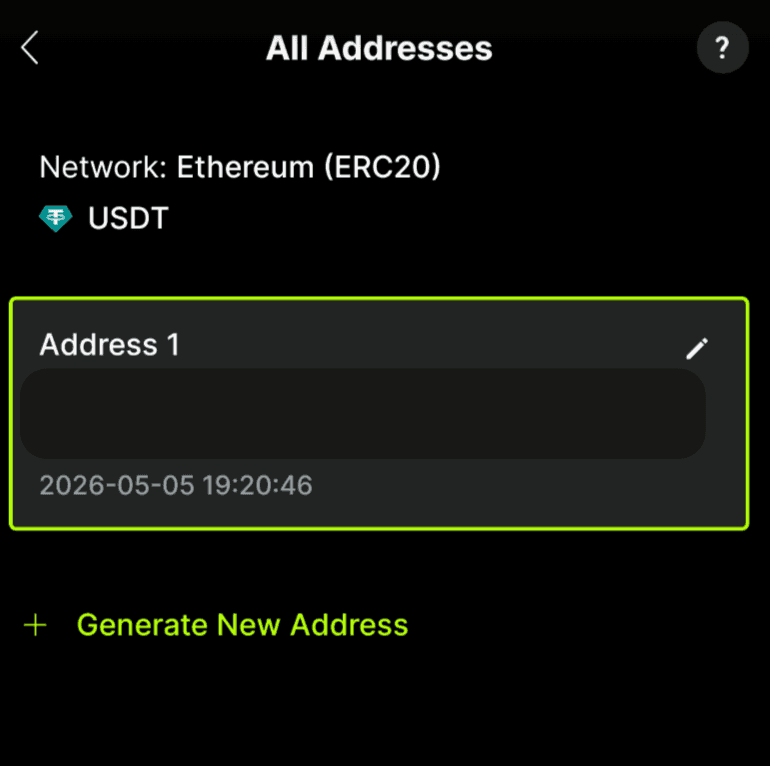
4. After selecting "Deposit Address", you can manage the existing deposit addresses created or generate a new address to create one instantly. You will see up to 10 addresses. Tap any address to copy and use it.
How many deposit wallet addresses can I create?
You can create as many as you need. The app shows the latest 10 addresses used per token & network.
Are my old addresses still valid?
Yes. All previously generated addresses remain valid and can still receive deposits.
Can I delete or disable an address?
No. Once created, an address cannot be deleted.
If you don’t want to use it, simply generate a new one.
Are there any fees?
No. Creating new deposit addresses is completely free.
Important Reminder
⚠️ Always double-check that you:
Selected the correct token
Selected the correct network
Sending funds to the wrong network or address may result in permanent loss of funds.


