How Can I Transfer Funds from MetaMask to ZMO?
Deposit crypto from MetaMask to ZMO in five steps. MetaMask supports ERC-20 and Ethereum layer 2 tokens only — always confirm the network matches before sending.
LL
Lulu Liu
8 min

You can deposit crypto into your ZMO account with MetaMask by following these steps:
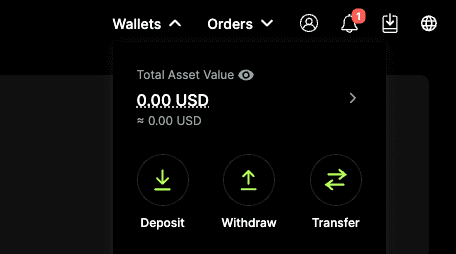
Step 1: Go to the Deposit Page on ZMO
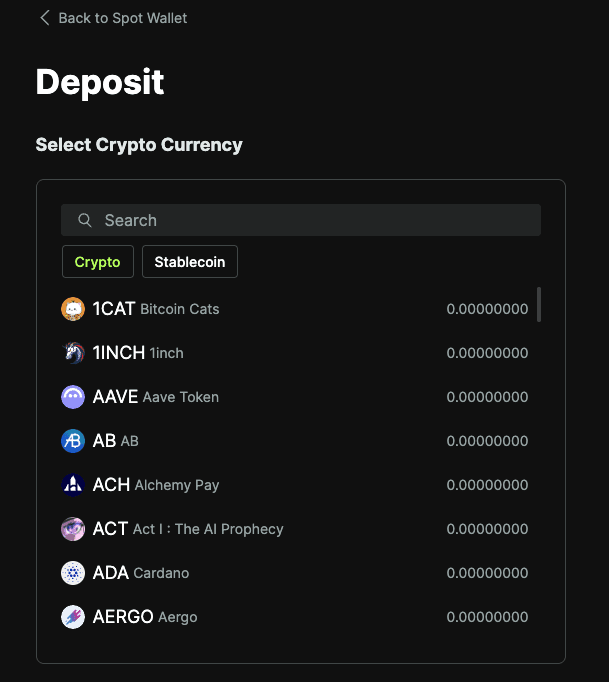
Select the cryptocurrency you want to deposit
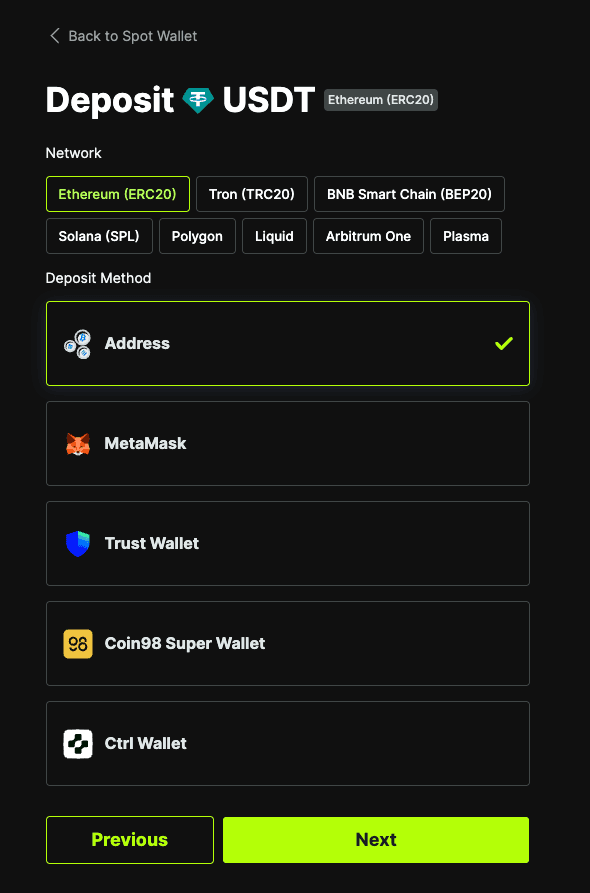
Step 2: Select MetaMask
Note that MetaMask only supports ERC20 or other layer 2 blockchains built on Ethereum. If the cryptocurrency you select is not built on ERC20 or a related layer 2 blockchain, you may not be able to deposit it natively with MetaMask.
Step 3: Connect to your MetaMask Wallet
Select Connect to a Web3 wallet.
Select MetaMask.
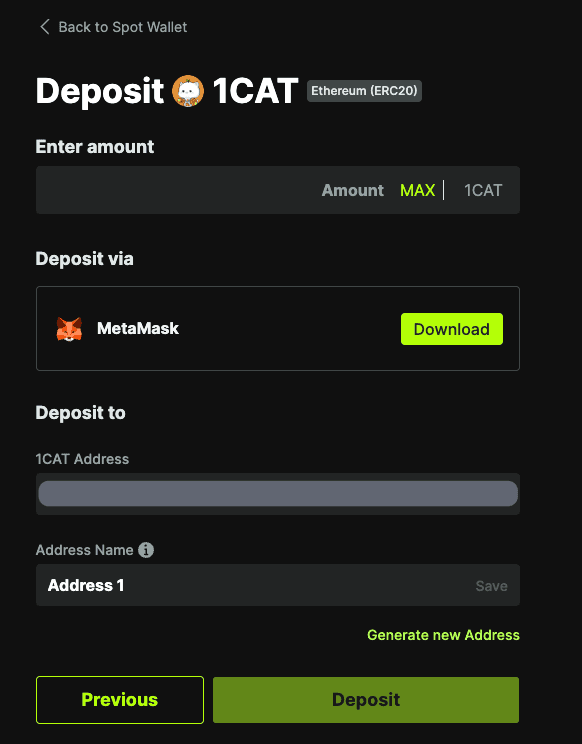
Step 4: Send Funds from MetaMask
Once you’ve connected your MetaMask wallet to your ZMO account, enter the Amount to deposit and select Deposit.
Step 5: Wait for Confirmation
Your deposit will be credited after the required network confirmations are completed.
Note that the processing time depends on the network used. It may take several minutes for your funds to arrive.
Important Notes
Always ensure the network entered on MetaMask and the ZMO deposit page is the same
Only send supported ERC20 and other layer 2 Ethereum tokens with Metamask
Do not send unsupported assets, as they may not be recoverable
Network fees are paid to the blockchain, not by ZMO. There’s nothing we can do to lower your network fees.


