How to Log Into Your ZMO Account with a QR Code
Log into ZMO's web platform by scanning a QR code with your ZMO app — no password entry needed. Each code is single-use and expires after login for added security.
LL
Lulu Liu
8 min

Logging in with a QR Code provides a secure and seamless way to log into ZMO’s web trading interface by using your mobile device. It saves time, eliminates the need to enter manual login credentials, and offers a user-friendly experience.
Quick and easy access to your ZMO web trading interface
A convenient option for users with multiple devices
How to use this feature (Tutorial/ Instructions):
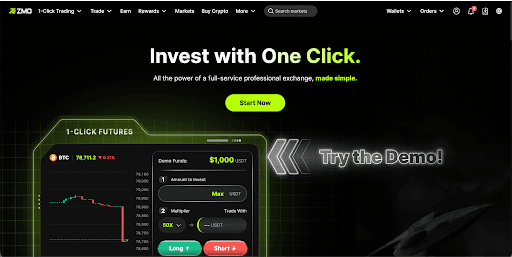
1. Navigate to the login page at https://www.zmo.com/en/login and find the QR code on the right.

2. Open the ZMO App and select the QR Code Scanner feature
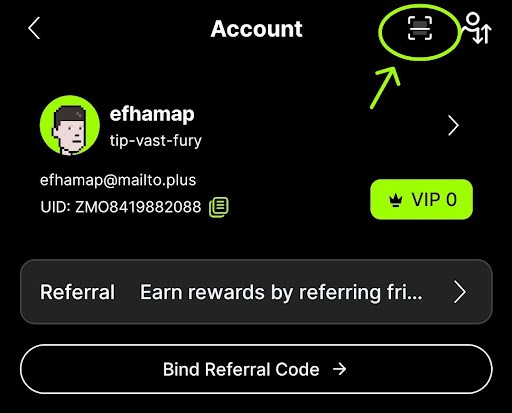
3. If it's your first time using the feature, you will need to grant the necessary permissions, such as camera and album access, to the ZMO App. Follow the on-screen prompts to do so.
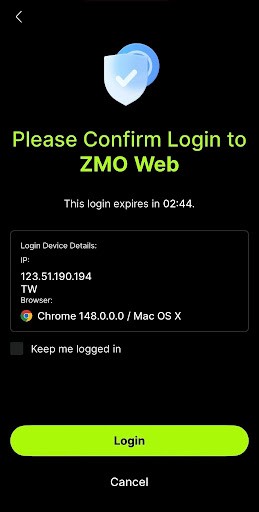
4. Position your mobile device's camera in front of the QR code on the ZMO web login page.
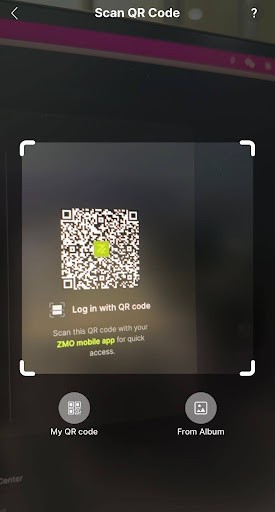
5. The scanner will detect the QR code and capture it.
6. Confirm and authorize the login request from your ZMO App.
7. Once the QR code has been successfully scanned, the login process will begin, and you will be logged into ZMO’s web trading interface.
FAQ:
Q: Do I need to use a separate app to log in with my QR code?
A: No, you do not need to download a separate app. You can use your existing ZMO App and account to log into the web trading interface.
Q: Is this secure?
A: Yes, logging in with your QR code is a secure method for accessing your ZMO account. The QR code is unique to your account and is generated for a single login session. Once the code is used, it becomes invalid, and a new code will be generated for the next login attempt.
Q: What if the QR code does not get scanned successfully?
A: Make sure the QR code is visible and not damaged. Ensure that your camera lens is clean and in focus. If the issue persists, contact our customer support team for assistance.
Q: What should I do if I'm having trouble scanning the QR code?
A: If you're having trouble scanning the QR code, try adjusting the lighting or your camera’s distance from the QR code. You can also try manually entering the account credentials or contacting support for assistance.
Reminder/Disclaimer:
Please ensure that you are scanning the QR code on the official ZMO website and not a fraudulent one.
Always ensure that you are scanning the QR code in a secure environment.
ZMO will not be responsible for any losses resulting from the use of fraudulent QR codes.
Additional Information:
If you have any further questions or concerns, please contact our customer support team for assistance.


