What is AutoTrader?
ZMO's AutoTrader lets you copy thousands of backtested strategies from professional traders — pick by risk level, direction, and token, then let AI-powered bots trade for you.
LL
Lulu Liu
8 min

Our automated trading strategy platform, AutoTrader, is powered by AI-enhanced algorithms that place trades for you. These algorithms are designed by professional traders to initiate buy and sell orders based on pre-determined signals and data points in the market. We break down some of the basics below.
Q: What is AutoTrader?
A: AutoTrader is a trading strategy platform that provides traders with thousands of backtested strategies to copy for free. It aims to simplify the trading process by offering a variety of strategies, enabling users to quickly replicate successful, professional strategies and run multiple bots simultaneously. By isolating trading bot funds from manual trading funds, AutoTrader ensures a seamless and efficient trading experience.
Q: How do I access AutoTrader?
A: You can find the entrance to AutoTrader at the top of the ZMO navigation bar.
Q: How do I use the AutoTrader strategy?
A: The AutoTrader marketplace includes thousands of strategies. Users can choose a strategy based on their risk preferences and the tokens they are familiar with.
You can choose a strategy in three ways:
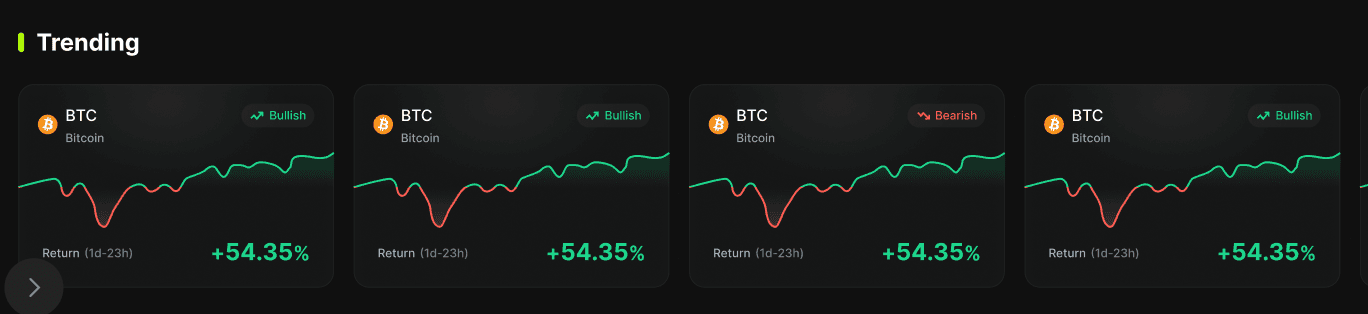
Trending Recommendations
Select one of our recommended strategies from the Trending section.
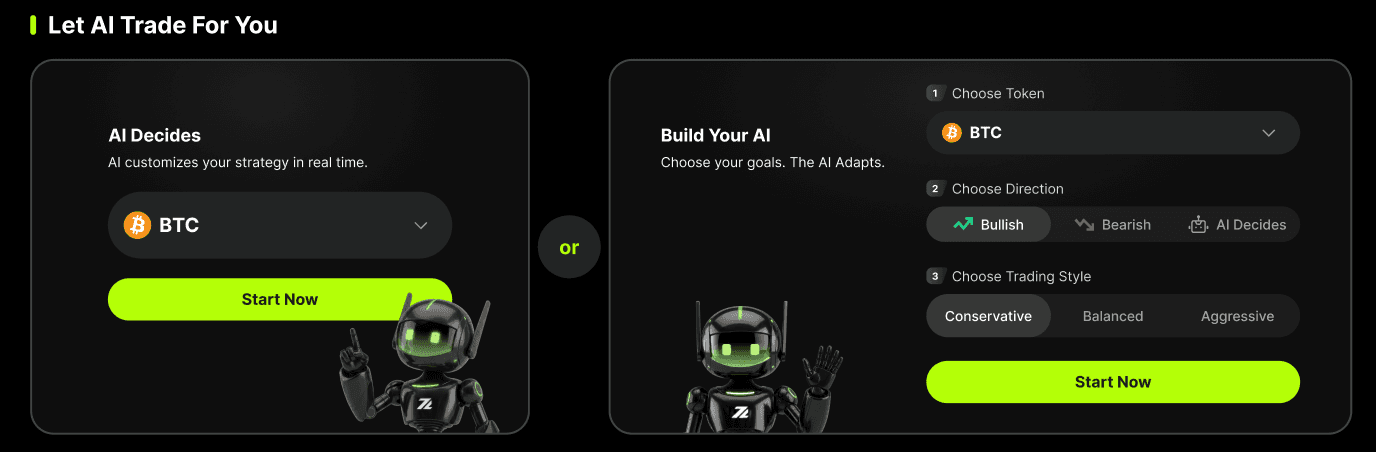
AI Strategy Matching
Set your investment preferences and let AI recommend a suitable strategy for you.
Browse All Strategies
Explore all supported strategies and choose the one you want to invest in.

Risk:
Conservative: Increases your position when the price moves against your overall view; reduces positions to capture profits when the price moves favorably.
Balanced: A balanced approach to increasing your directional position when prices move against you and taking profit when prices move favorably.
Growth: Steadily takes profits if your position becomes profitable; sets tighter stop loss conditions to quickly close positions if the market moves unfavorably.
Direction:
Bullish: The strategy bets on price increases.
Bearish: The strategy bets on price decreases.
Q: How do I deposit funds to an AutoTrader strategy?
A: AutoTrader uses funds from your Spot Wallet. We only allow users to use AutoTrader with USDT as collateral. Users can deposit USDT from the blockchain.
Q: Where can I see my active strategies?
A: Users can click the portfolio entrance arrow to see their actively running strategies on the portfolio page.
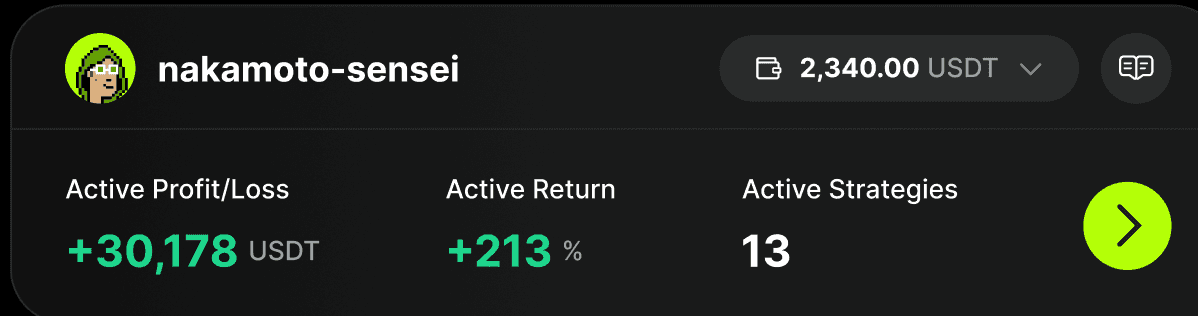
Q: What do I do if I want to monitor strategies?
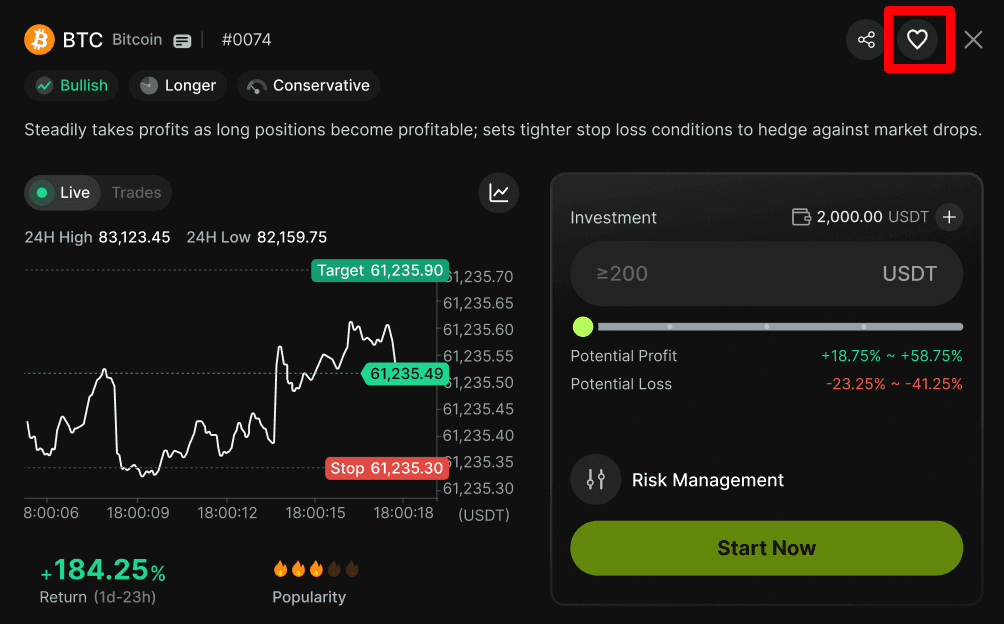
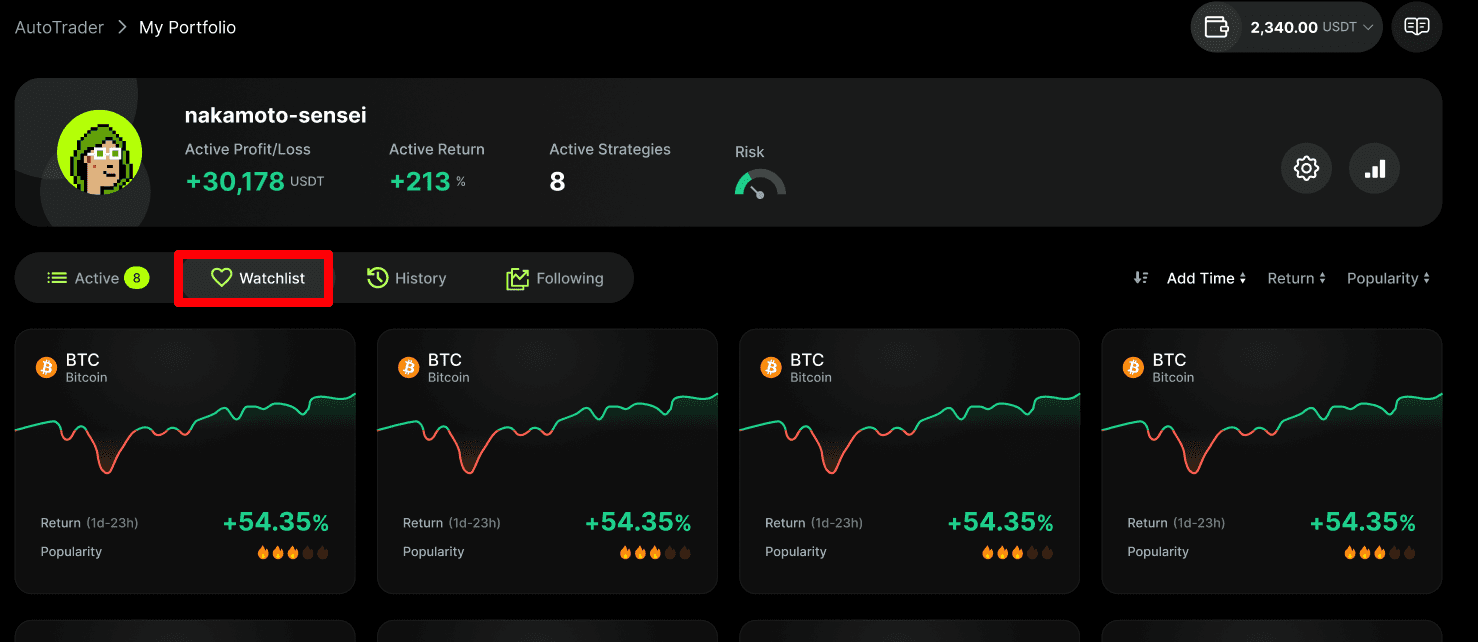
A: Users can click the Favorite button on their preferred strategy card, and then head to the portfolio page to check their watchlist of saved strategies.
Q: What is the maximum number of AutoTrader bots that I can run?
A: Only 5 AutoTrader strategies are allowed to run for the same market simultaneously. There are no limits on the number of strategies that can be run across all markets.
Q: Why is my realized P&L different from what was displayed when I initially stopped the strategy?
A: Sometimes, due to market fluctuations or slippage in position prices, the final P&L upon stopping the strategy may differ from the expected values set by the user when he/she places the final order. We recommend thoroughly reviewing the Risk Control feature description before setting your order up and implementing appropriate risk management for your strategy.


