A Short Guide to Futures Grid Bots on the ZMO App
ZMO's Futures Grid Bot automates trading within a set price range — choose neutral, long, or short mode, customize your grid, and let the bot trade around market fluctuations.
LL
Lulu Liu
8 min
A Brief Introduction to Futures Grid Bots
The Futures Grid Bot feature on the ZMO mobile app revolutionizes the way users engage with cryptocurrency trading. By automating trading strategies within a specified price range, this feature allows users to capitalize on market fluctuations effortlessly. Our intuitive interface makes it easier to set up and manage these bots, catering to both novice and experienced traders alike.
Why Use Futures Grid Bots?
Automated Trading: Set up bots to trade on your behalf, saving time and effort.
Strategy Customization: Tailor your trading strategies with options for Neutral, Long, or Short modes.
Market Adaptability: Adjust your bot's settings to align with changing market conditions.
How to Use Futures Grid Bots on the ZMO App
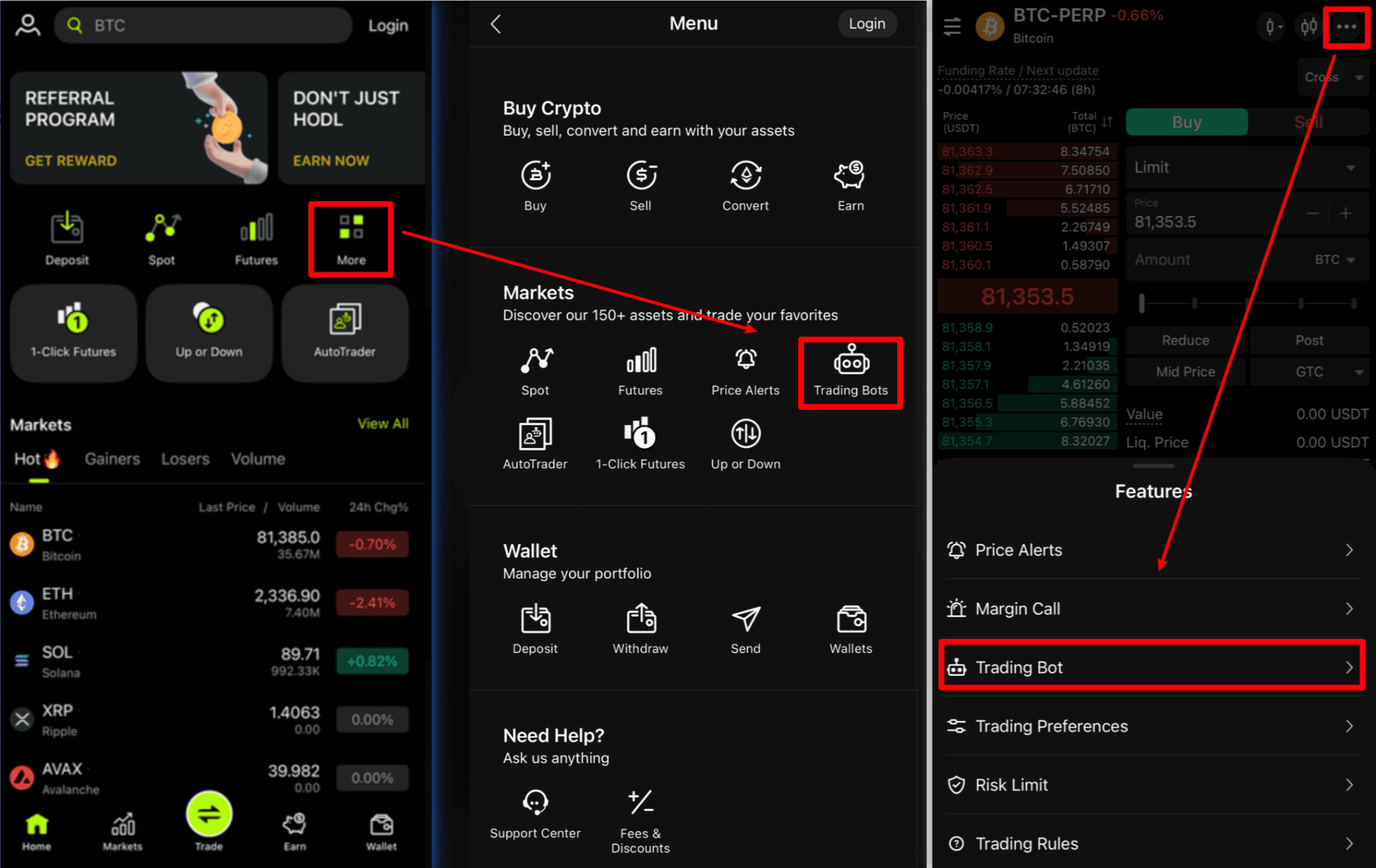
1. Navigate to Trading Bots:
Mega Menu > Markets > Trading Bots
Trading Page > Tap the “...” in the top-right corner > Select “Trading Bot”.
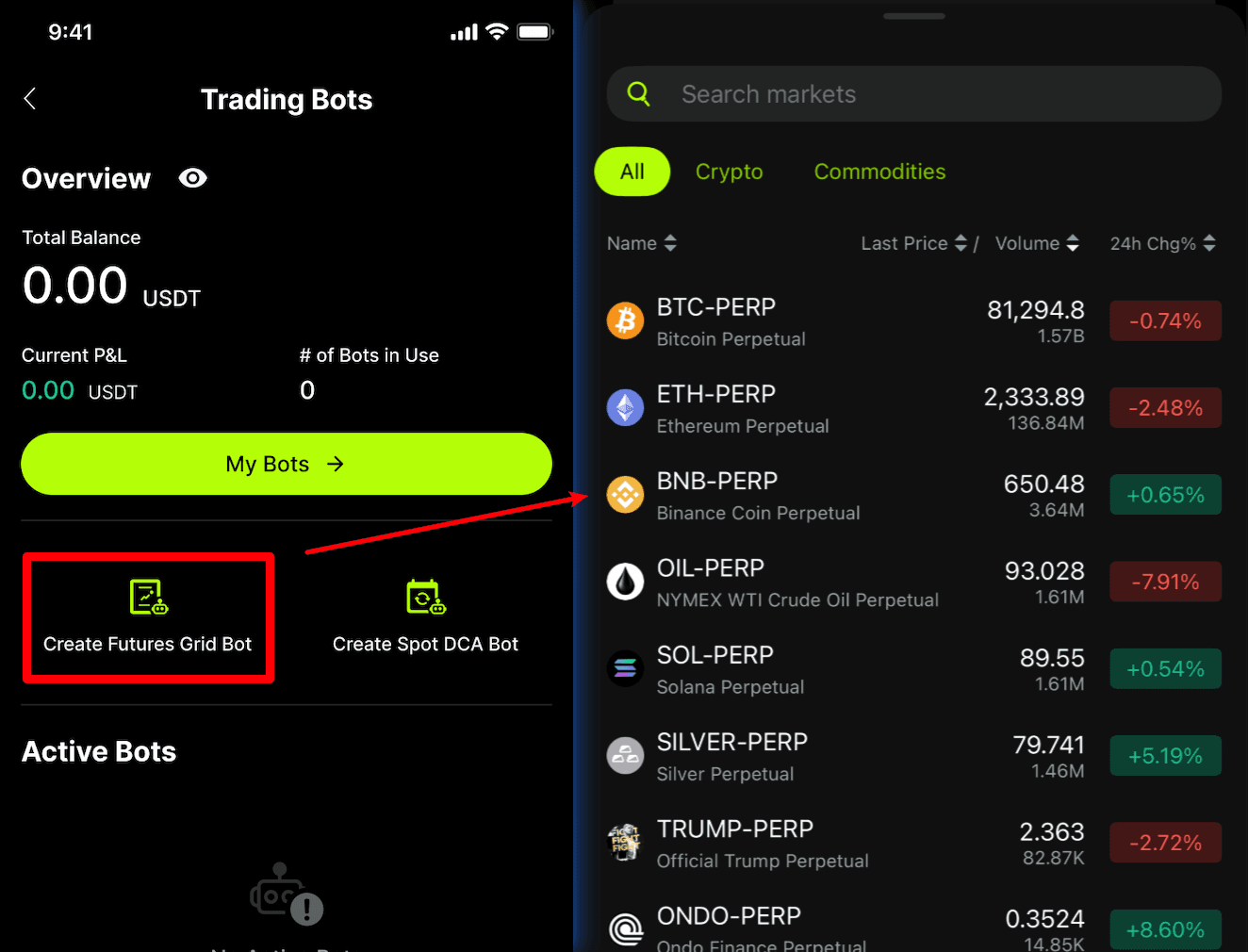
2. Bot Creation: Select "Create Grid Bot" and choose your market.
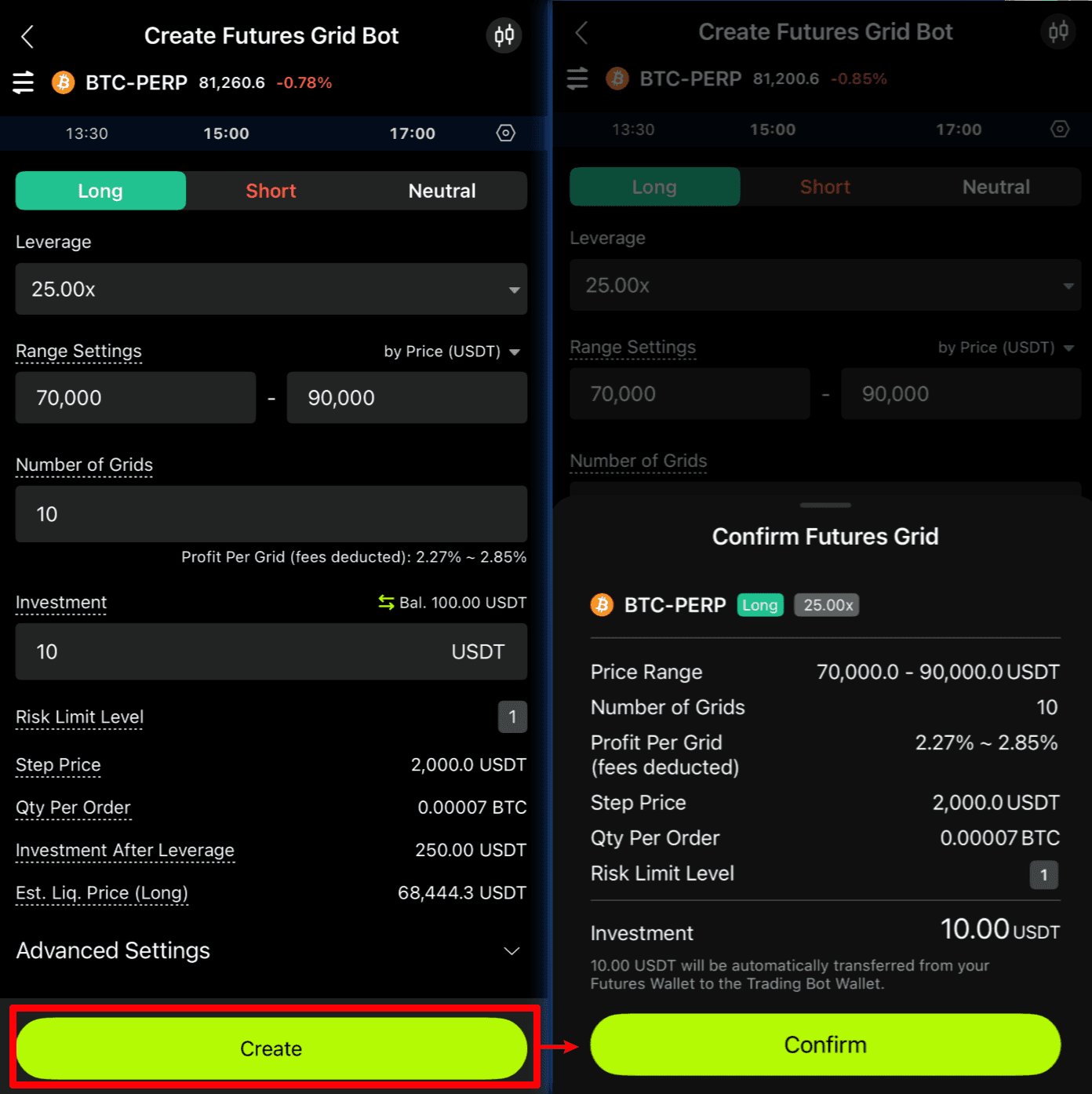
3. Configure Bot: Set your bot's mode, price range, number of grids, and initial investment. Then confirm your settings and deploy your bot.
4. Monitor and Manage: Regularly check and adjust your bot's settings as needed.
FAQ
Q: How can I access the trading bot feature on my ZMO app?
A: You can access it from either the Quick Menu or the Trade Menu on the ZMO app.
Q: Can I customize my trading bot?
A: Yes, you can customize the bot's type, price range, grid numbers, initial investment, and other advanced settings like stop loss triggers.
Q: How do I adjust my bot's settings after it's been created?
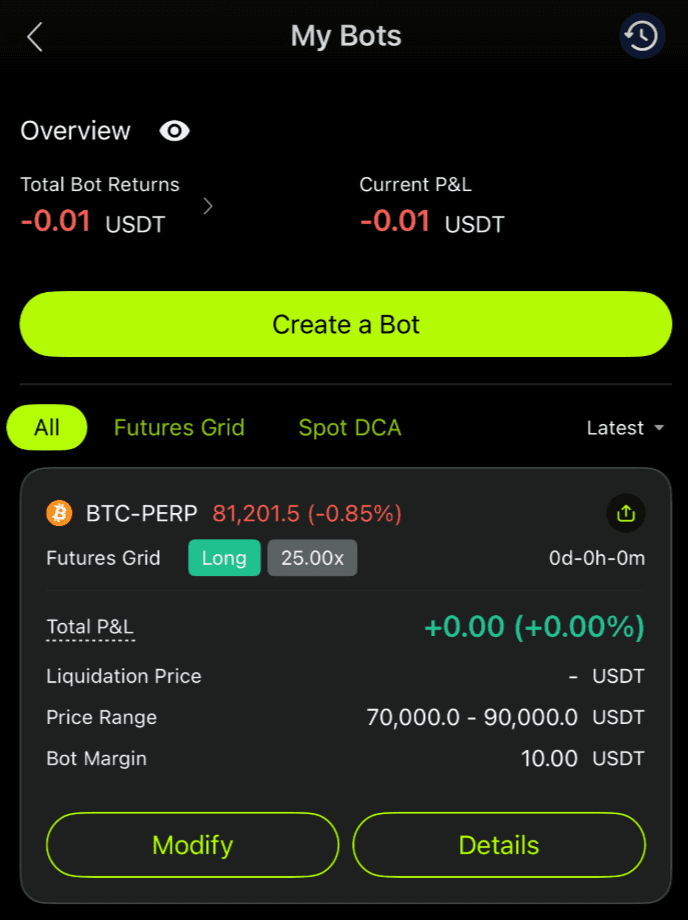
A: To adjust your bot's settings, navigate to the "My Bots" section, select the bot you wish to modify, and change its parameters as needed. Remember to review and save these changes.
Q: How do I measure the success of my trading bot?
A: Success metrics are available in the "My Bots" section. These include total investment, total P&L, matched profits, and ROI%. Regular monitoring of these metrics is recommended for optimal bot performance.
Q: Are there risks involved in using the Futures Grid Bot?
A: Yes, as with all forms of trading, using the Futures Grid Bot involves risk. Market volatility can impact bot performance, so it's important to set appropriate risk management measures and regularly review your bot's strategy.
Reminder/Disclaimer
Always monitor your bot's performance and be prepared to adjust its settings in response to market changes. While the bot automates trading within set parameters, it's essential to stay informed about market conditions to make the most of this feature. Trading involves risk, and it's crucial to trade responsibly.


