How to Fund Your ZMO Futures Wallet
Learn how to fund your ZMO Futures Wallet — from account setup and deposits to transferring assets and opening your first futures position.
LL
Lulu Liu
8 min

Before you can trade leveraged futures on ZMO, you must ensure your Futures wallet is funded.
This guide provides a clear, professional walkthrough on how to move your assets into your ZMO Futures Wallet to begin trading with confidence.
Steps for Funding Your ZMO Futures Wallet
You can follow these steps to fund your wallet and start trading futures contracts on ZMO.
Register your account
From ZMO’s homepage, click “Register” and fill in the required fields.
To create a safer environment for you, ZMO will ask you to confirm your identity and set up a 2-factor authenticator. After verification, you will be able to deposit cryptocurrencies.
Deposit Assets into Your ZMO Spot Wallet
Before funding your Futures account, you must have assets available in your ZMO Spot Wallet. You can fund your account by transferring cryptocurrencies such as USDT from an external wallet or exchange.
Note: Ensure the network selected on ZMO matches the network used by your sending platform to avoid permanent loss of funds.
Transfer Funds to Your ZMO Futures Wallet
Once you have money in your spot wallet, you’ll need to move your funds from your Spot Wallet to your Unified Futures Wallet. Here’s how:
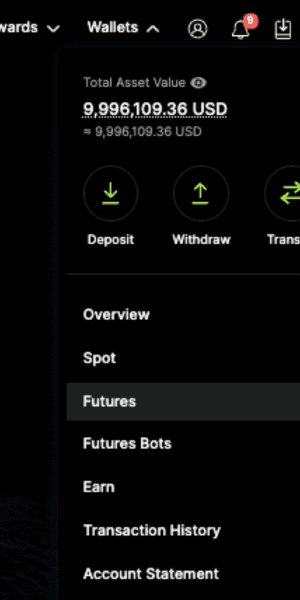
Access Futures Wallet: Navigate to the “Futures” trading interface or go directly to Wallets > Futures Wallet.
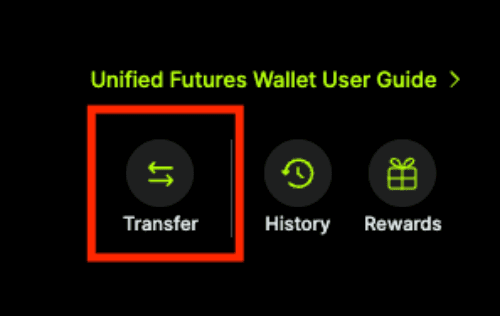
Initiate Transfer: Locate and click the “Transfer” button.
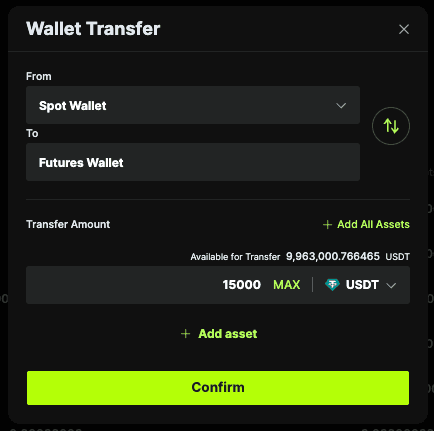
Configure Transfer:
From: Spot Wallet
To: Futures Wallet
Select Currency & Amount: Choose the asset you wish to use as collateral (typically USDT) and enter the desired amount.
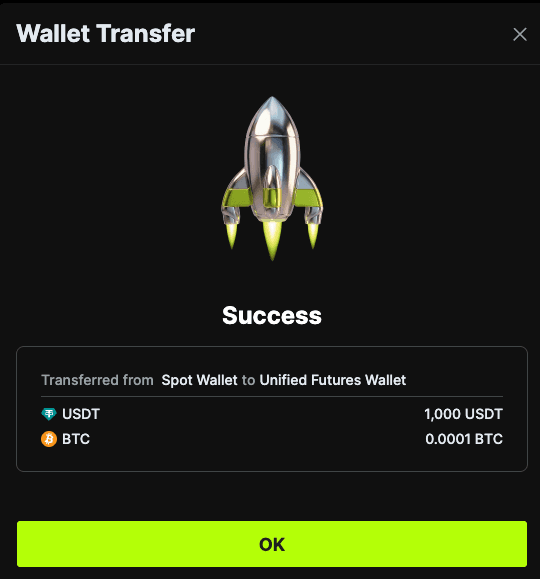
Confirm: Review the details and click “Confirm Transfer,” then it will display whether your transfer is successful or not
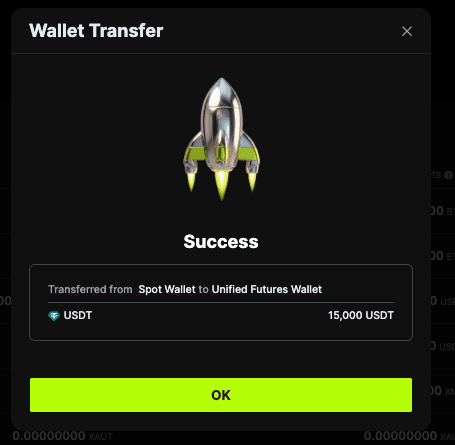
Verify Your Margin Balance
After the transfer is complete, your funds will appear under the “Available Balance” in your futures trading dashboard. You are now ready to select your leverage, set your margin mode (cross or isolated), and open your first futures position on ZMO.
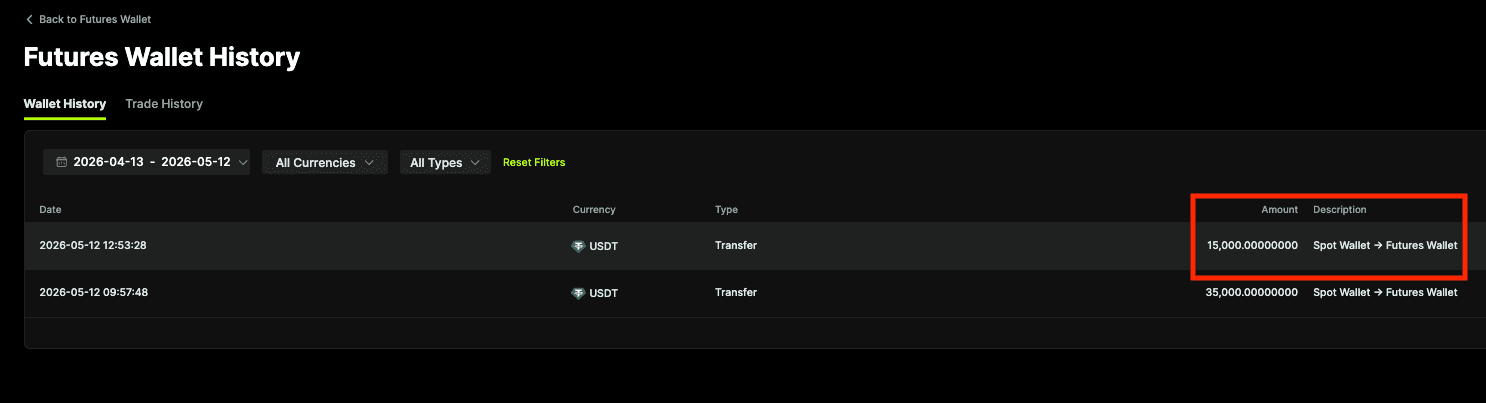
Don’t just hold your assets—put them to work. Navigate to the ZMO Futures dashboard and execute your first trade with professional-grade trading tools.
Start Trading on ZMO!
Alternative: Transfer via Wallets > Overview
On ZMO, you can’t trade futures if you don’t have any funds in your futures wallet. This is because when you open a position, the required margin draws from the funds in the futures wallet, not in the spot wallet. But it’s easy and simple to transfer funds from your spot wallet to the futures wallet. We show you how it’s done below:
Step 1.
Go to your ZMO account dashboard and click Wallets >Overview
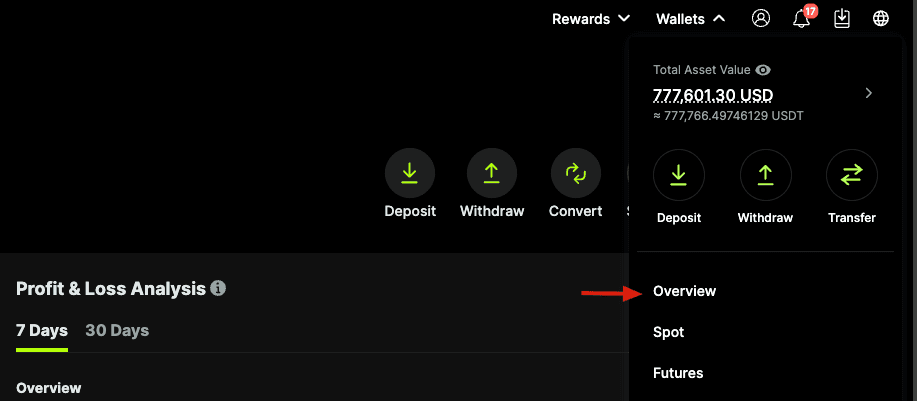
Step 2.
Click Transfer
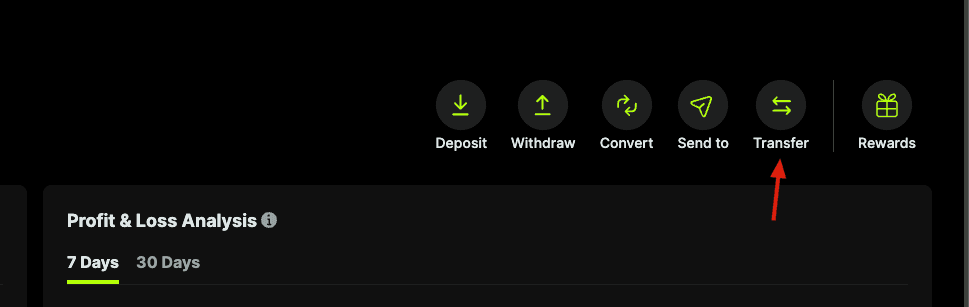
Step 3.
Enter the Transfer Amount and select a Cross Wallet or Isolated Wallet for the futures pair you wish to trade. In this case, we are transferring 1000 USDT
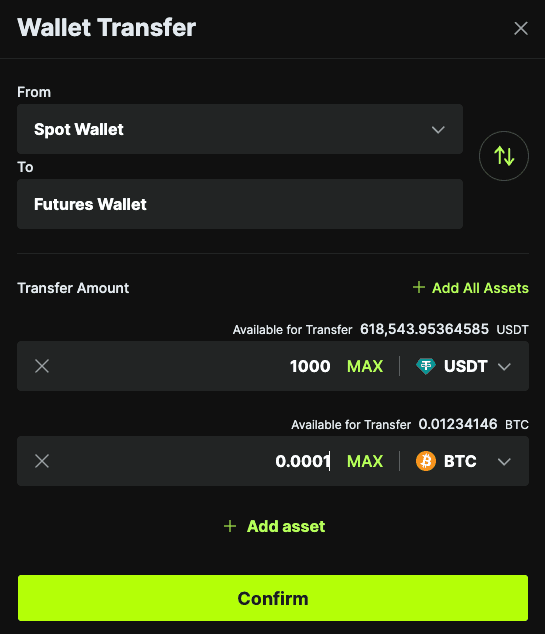
Step 4.
Click Confirm to complete the transfer process